
FOR INDEPENDENT FAMILY MEDICINE PRACTICES
Continuity that doesn’t depend on memory.
From a well-child visit to a chronic-condition follow-up, the Family Medicine Care Pack connects intake, documentation, screening and the next appointment.
- Specialty Care Pack available
- Reviewable clinical proposals
- Intake, care plans and follow-up connected
STEP 01
Prepare for the kind of visit ahead.
Use specialty intake and templates for annual physicals, acute concerns, chronic follow-ups and well-child visits. Patients answer on their phone; their words arrive with the chart.
Explore each step. Your team stays in control.
HOW THE WORK MOVES
Your Care Pack, from intake to follow-up.
Specialty workflows built on one patient record—not just a collection of note templates.
- 01
Prepare for the kind of visit ahead.
Use specialty intake and templates for annual physicals, acute concerns, chronic follow-ups and well-child visits. Patients answer on their phone; their words arrive with the chart.
- 02
Bring screening into the encounter.
Offer PHQ-9, GAD-7, AUDIT-C and cardiometabolic tools, including eGFR and PREVENT risk equations, for clinician-initiated review. Growth charts and immunization tracking support younger patients.
- 03
Make follow-up part of the plan.
Turn the clinician’s chosen follow-up into a recall. Mox can help patients book under the clinic’s consent, outreach and quiet-hours rules.
CONTINUITY BETWEEN VISITS
From this year's physical to the next check-in.
Due annual visits, overdue screenings, planned blood-pressure rechecks and A1c follow-up appear as cited, assigned work for the team to review.
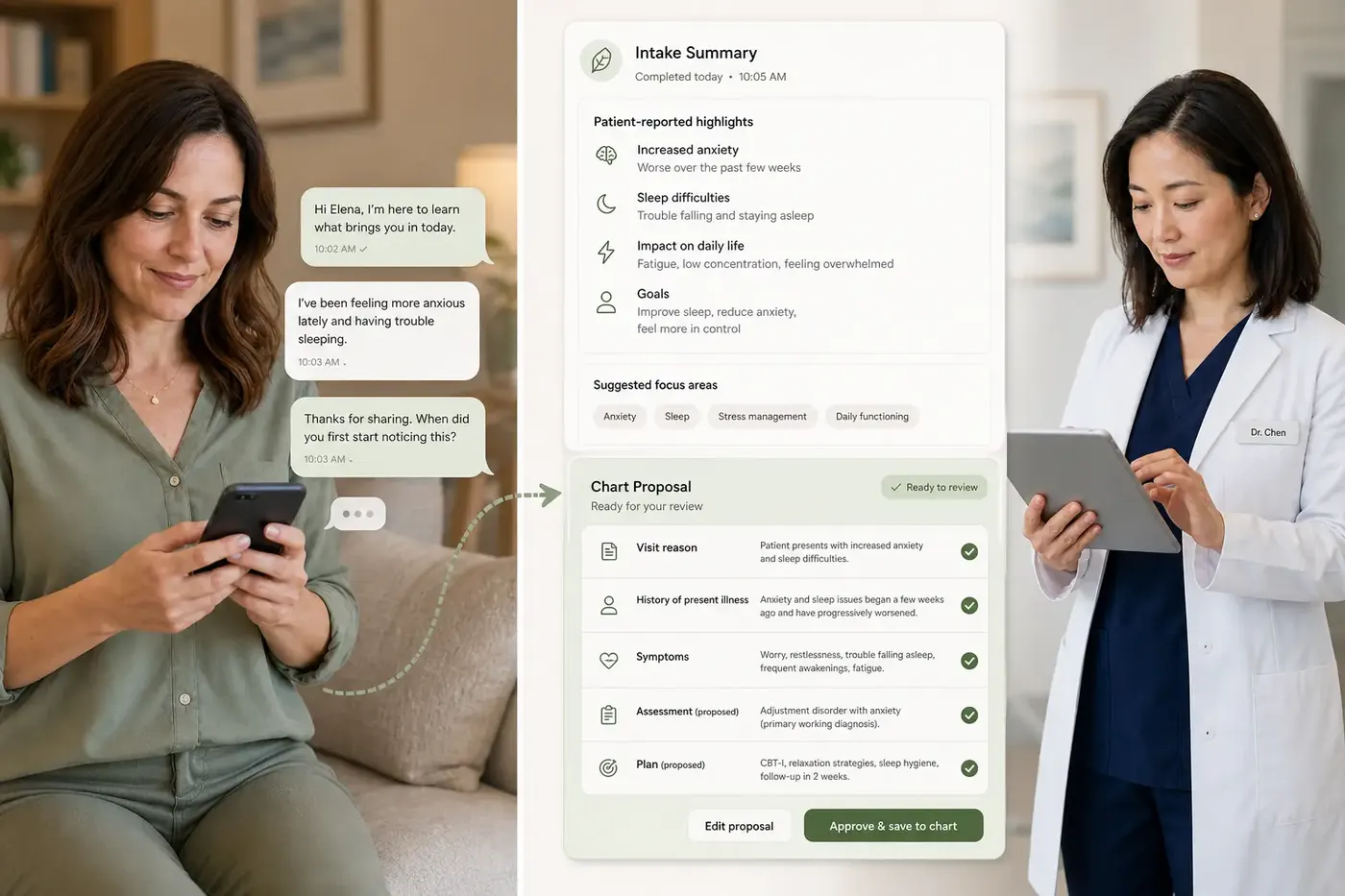
Prepare with the patient's own words
Review intake and supported screening responses alongside the record before starting the visit.
Choose the next clinical step
Annual visits, blood-pressure rechecks and A1c follow-up stay connected to the clinician's plan.
Bring the patient back
Assigned recalls give staff a next action. Outreach follows the practice's consent and quiet-hours rules.
CLEAR RESPONSIBILITIES
Clinical decisions stay with your clinicians.
Care Packs provide specialty intake, documentation, offered scores, treatment-plan recalls and attention worklists. Scores use published definitions and stated inputs; clinicians choose when to use them. Clinical proposals require review. Specialty interfaces and local protocols are confirmed during setup.
Explore the Trust CenterBEFORE YOU DECIDE
A few useful answers.
Is ambient scribing included in the plan?
Ambient scribing is an optional $69 per provider per month add-on, scoped to the provider across clinics. It is not included in the base plans. Patient consent and clinician review are required.
Can screening questionnaires be sent before the visit?
Yes. Patients can answer supported screening questionnaires through intake. Responses are available in the chart, where the clinician chooses the relevant scoring tool and reviews the result.
Can we bring our existing forms and records?
Existing PDF forms can become conversational intake. C-CDA imports support key clinical records; import completeness depends on the source export and should be validated before everyday use.
Do we have to replace all our systems at once?
No. Discuss the workflows you want to improve first and the tools you plan to retain. We will confirm supported handoffs and the scope of a staged adoption.
Keep reading

Choosing an EHR for a new practice: what to test before you sign
Day-one workflow tests, complete pricing and setup requirements for your first EHR.

AI medical coding software: what small practices should look for
Test source-linked suggestions, documentation gaps, effective dates and the handoff to billing.

Conversational patient intake vs digital forms: what actually changes?
Compare answer choices, branching, accessibility and the work left after submission.
YOUR PRACTICE. YOUR PACE.
Start with the work
you want off your plate.
Bring your toughest workflow. We’ll show you how Moxcares can help—and what moving over would look like.
Show me my workflowA focused conversation. A practical next step.