
A FAMILIAR SCENARIO
One visit. Several teams. The same story, rebuilt each time.
- Reception collects the details.
- The clinician finds them again.
- Billing reconstructs what happened.
THE MOXCARES PLATFORM
Your front desk, clinicians and billing team should not have to rebuild the same patient story. Moxcares connects the work around one patient record—with AI staff to help move it forward.
CHOOSE YOUR STARTING POINT
This overview shows the capabilities across Moxcares. Choose an adoption path to see how they fit your practice.
Upgrade calls, booking, intake and arrival around your current clinical system.
Explore this solution 02 / END-TO-END PRACTICE MANAGEMENTConnect patient engagement and clinical work. Add optional modules when you need them.
Explore this solutionFROM THE CURRENT DAY TO THE NEXT STEP
Follow the work from the first appointment to the final payment. Context stays with the patient as responsibility moves between teams.
A FAMILIAR SCENARIO
WITH MOXCARES
Book the appointment, collect chat-style intake and check available insurance benefits. The team sees what is ready and what needs attention.
Patient prepared. Encounter reviewed. The next team has the context.
Illustrative workflow. Your practice sets the rules, permissions and human handoffs.
WHAT CHANGES FOR YOUR TEAM
Explore each workflow in detail. Start with your biggest source of admin work and plan the next step around your team's needs.
AI RECEPTIONIST
Answer patient calls, help with booking or rescheduling, and capture messages and potential-patient leads. Your practice chooses the receptionist's name and voice and sets the handoff rules.
Explore AI Receptionist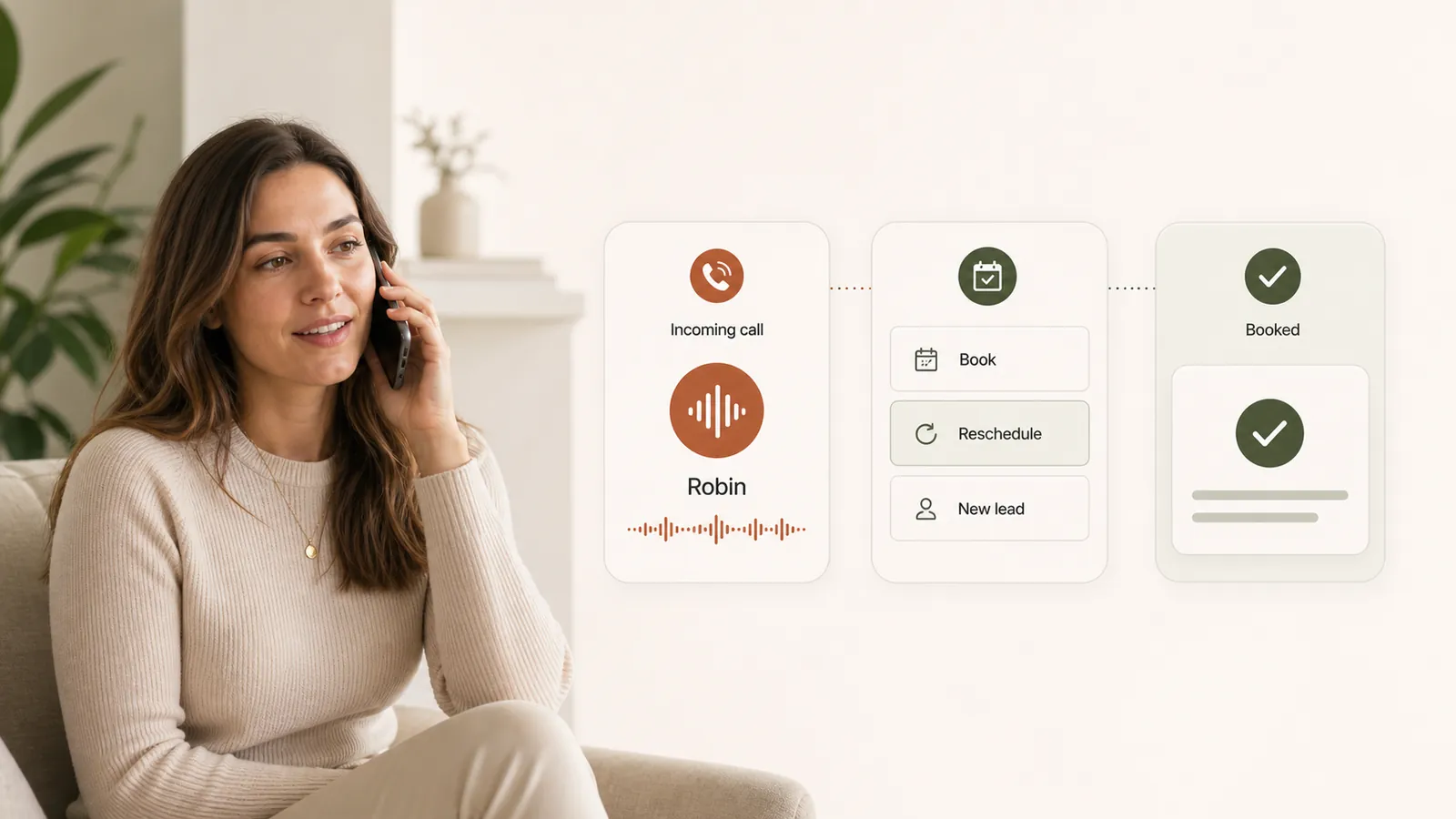
SCHEDULING & WAITLIST
Keep practitioner calendars and appointment status in view. Offer cancellations to waitlisted patients, let them choose from their phone, and follow arrivals through check-in and rooming.
Explore Scheduling & Waitlist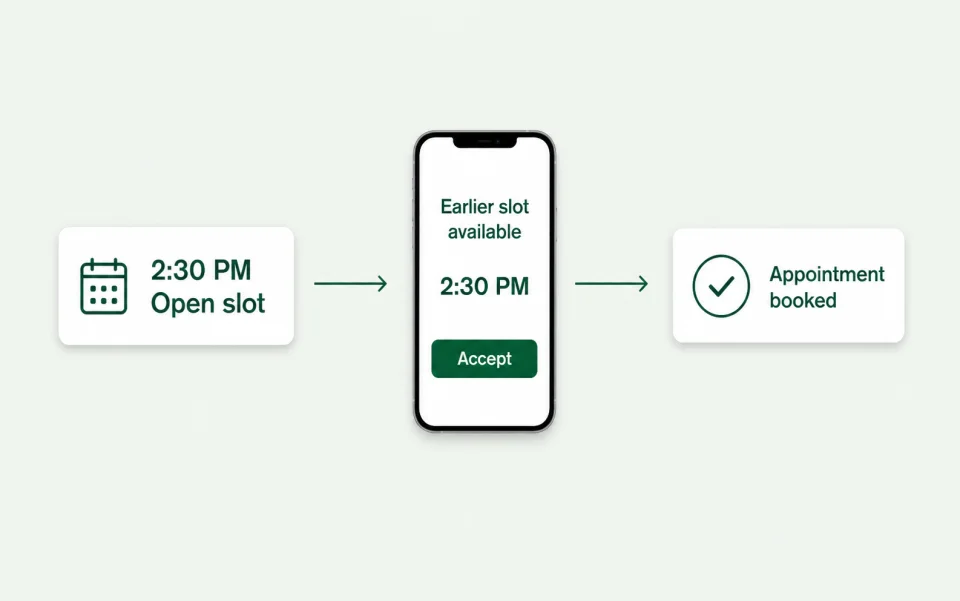
CONVERSATIONAL INTAKE
Upload your clinic's PDF forms and turn them into an interactive intake conversation. Patient responses become structured summaries and reviewable chart proposals.
Explore Conversational intake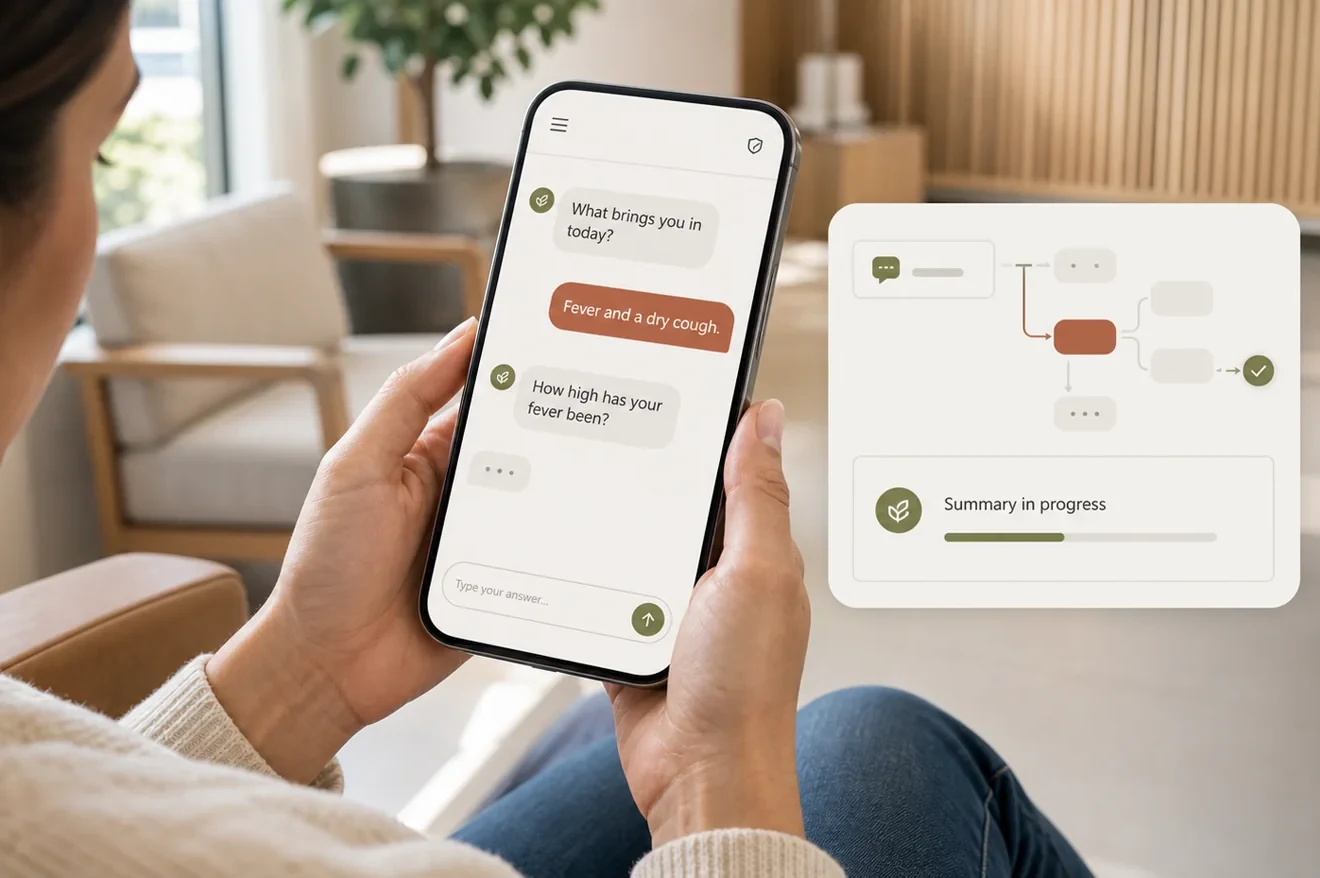
CLINICAL WORKFLOW
Bring intake, cited chart answers, ambient scribing, dictation and optional ICD-10 and CPT prompts into one clinical workflow. Prescribe through the integrated MDToolbox workflow.
Explore EHR, scribing & eRx
PATIENT COMMUNICATION
Manage conversations and attachments from a shared team inbox. Patients use an authenticated link for secure clinical communication, while staff can follow the conversation in context.
Explore Patient communication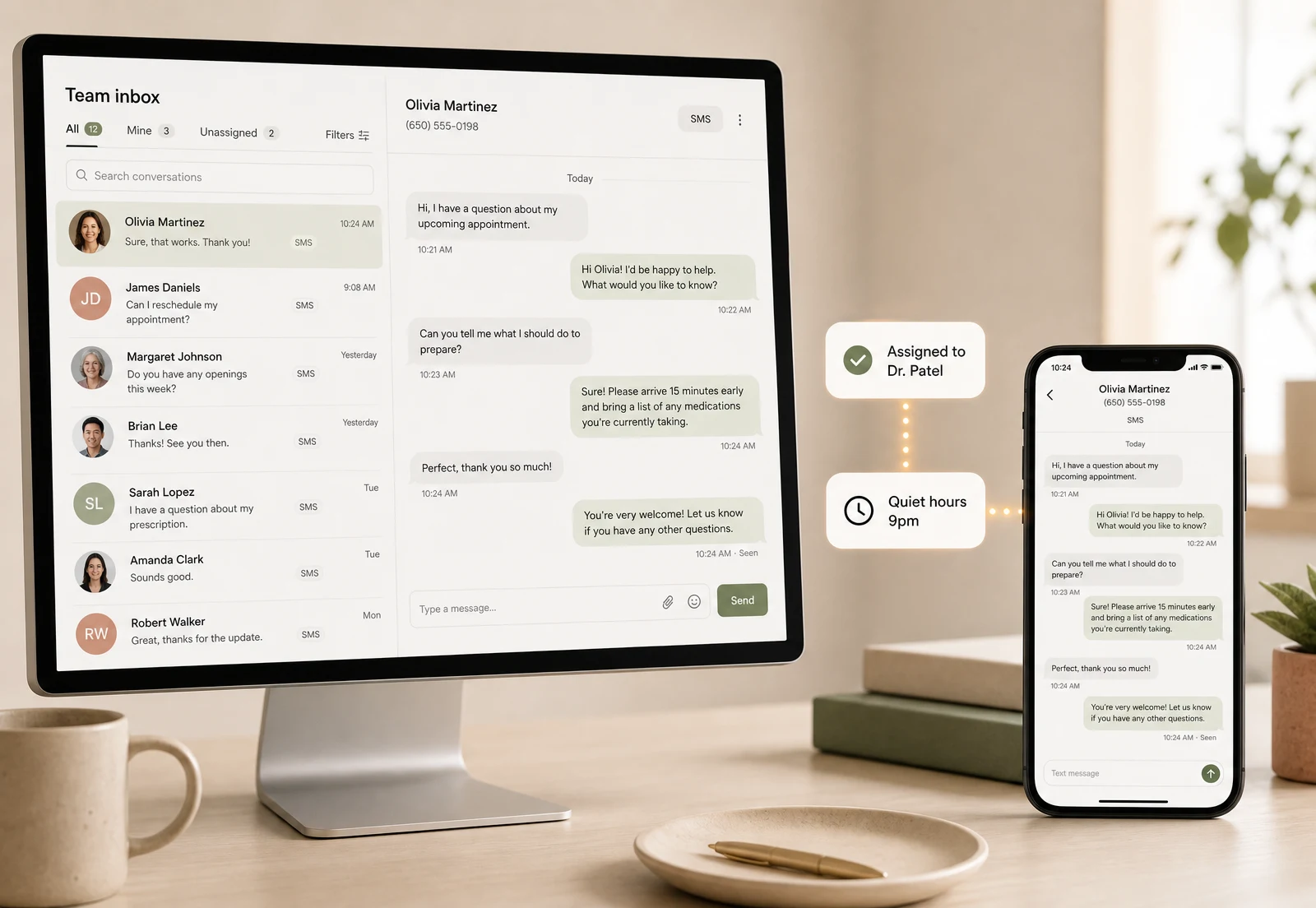
ELIGIBILITY & CO-PAY
Check coverage and available co-pay and benefit information before the visit. Review missing or uncertain details early; returned information depends on the payer.
Explore Eligibility & co-pay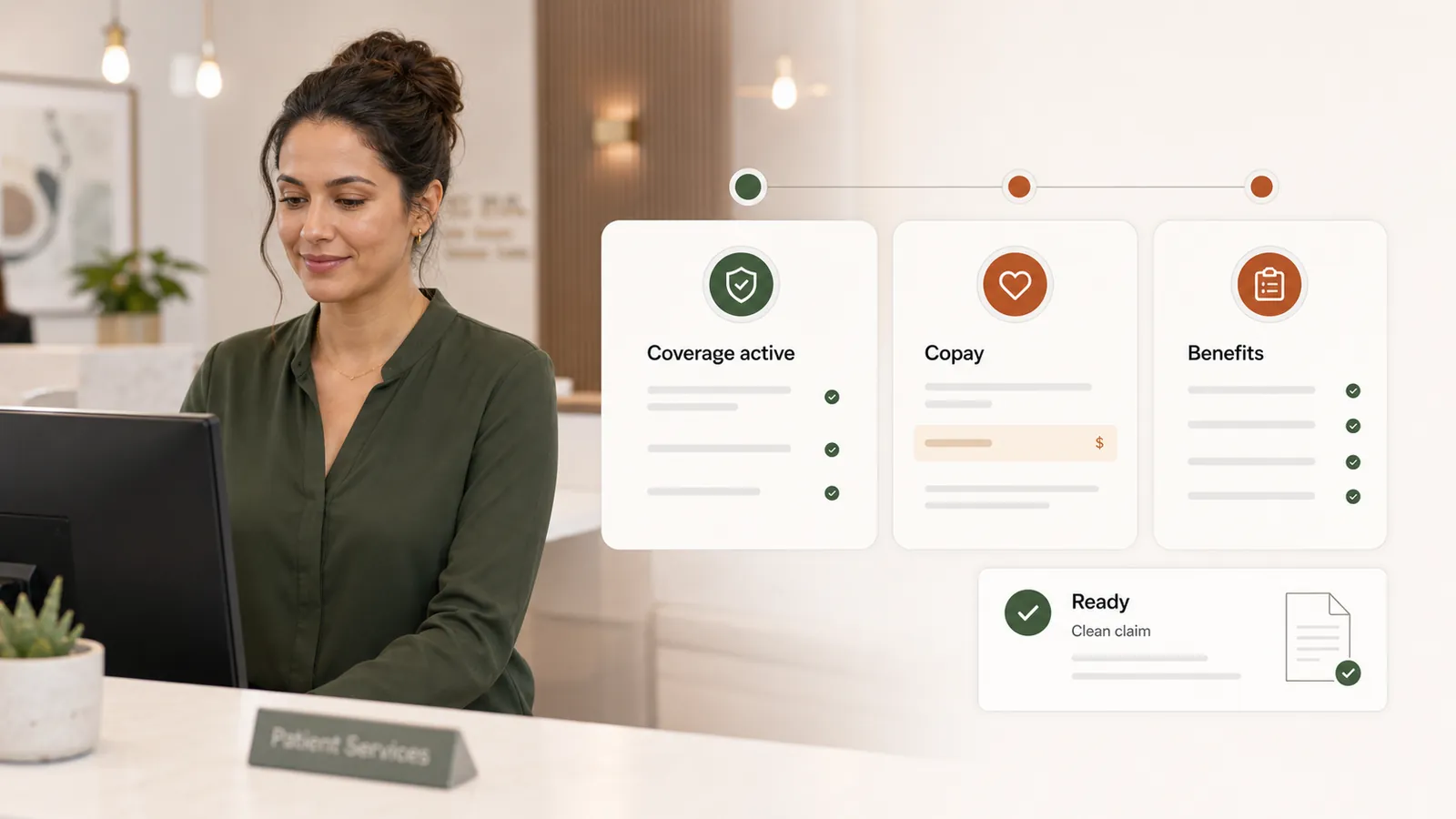
CLAIMS & REVENUE CYCLE
Prepare professional claims from encounters, review coding and missing-information prompts, and track submission, payer responses and denial work. Software pricing is not a percentage of collections.
Explore Claims & revenue cycle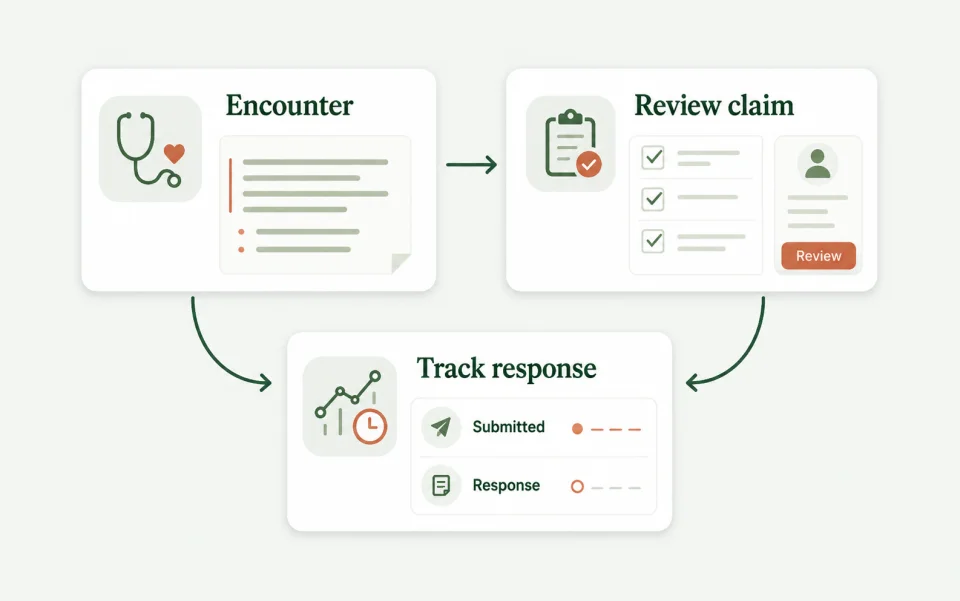
PATIENT PAYMENTS
Collect at the clinic or through a payment link, issue invoices and use a saved card with appropriate authorization. Keep visit balances, receipts and reporting connected, powered by Stripe.
Explore Patient payments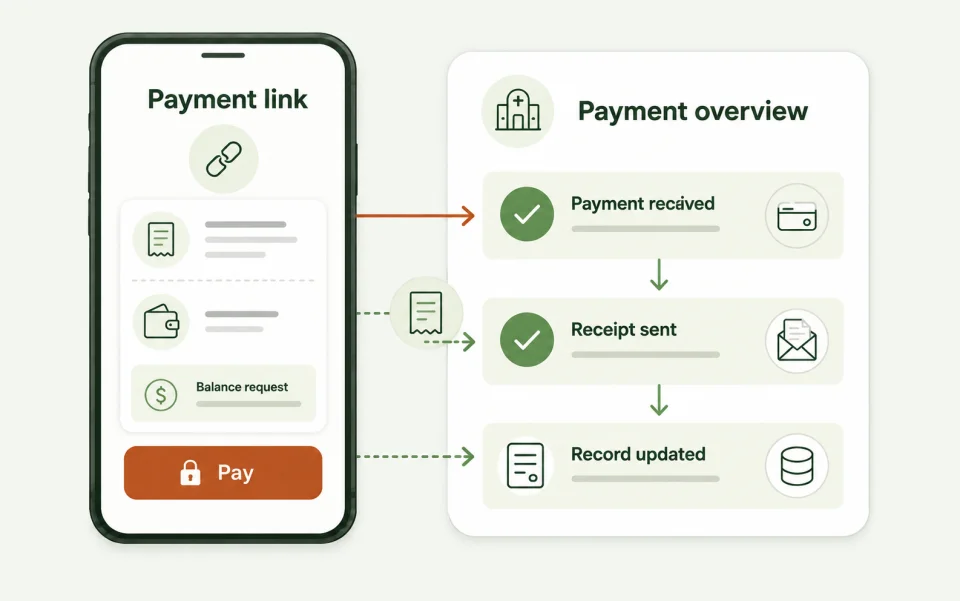
EFAX & DOCUMENTS
Send from the chart and triage incoming documents. Mox reads the content, matches the patient and proposes structured results while preserving the source document; uncertain matches go to staff.
Explore eFax & clinical documents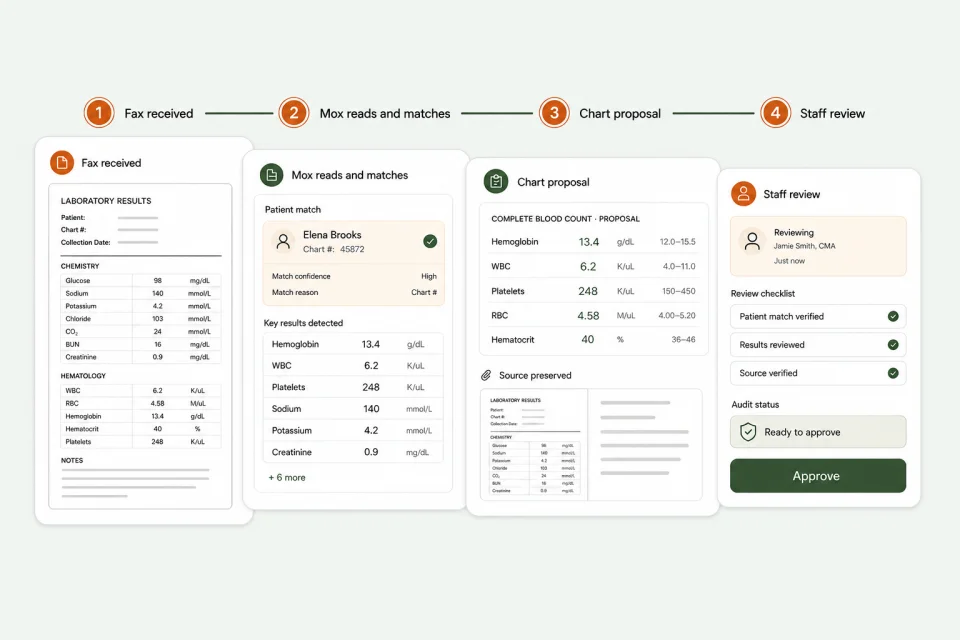
SEE IT IN PRACTICE
Follow Mox across patient calls, intake, scheduling and clinical work, with supervision and an activity record keeping your team in control.
Follow Mox across patient calls, intake, scheduling and clinical work, with supervision and an activity record keeping your team in control.
AI STAFF, NOT ANOTHER INBOX
Mox works across the connected record, rather than treating each department as a separate conversation. Your team can see what is proposed, what needs approval and what has been done.
Meet Mox, your AI staff
Intake, appointments, notes, documents and revenue workflows share the same patient record.
AI-generated clinical content is prepared for review, not silently accepted into the chart.
Role-based access and attributable, tamper-evident audit history support oversight of human and AI activity.
ADOPT AT YOUR PRACTICE'S PACE
You do not need to decide every workflow in the first conversation. We help map the current setup, confirm the data and integration requirements, and agree a realistic rollout.
Plan your transition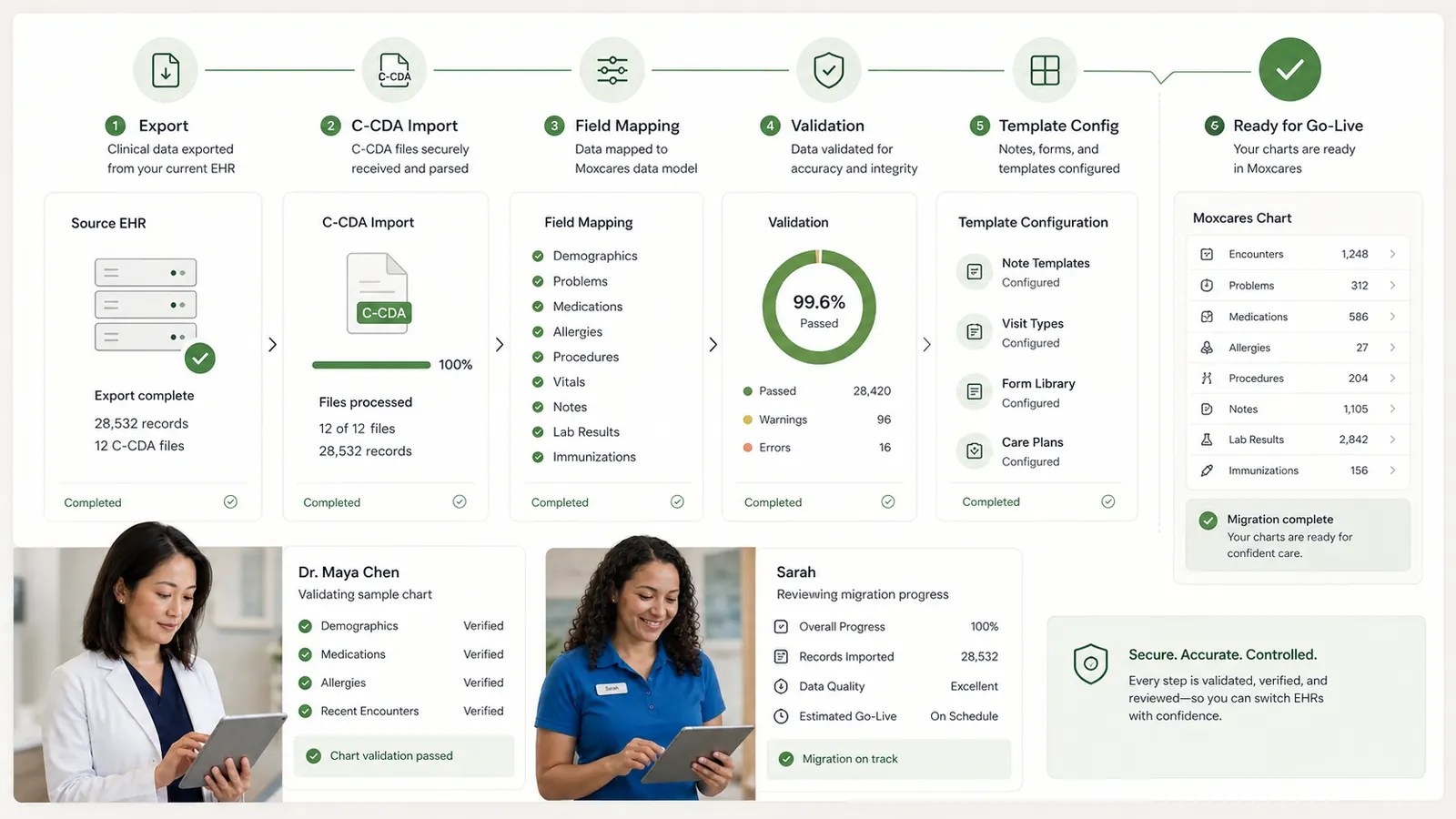
Identify the tools you depend on, the workflows you want to improve and the connections that need verification.
Review available C-CDA exports, imported records, templates and staff access before relying on them in daily care.
Review plan inclusions, usage allowances and any third-party or transaction costs on the pricing page and in your rollout discussion.
BEFORE YOU DECIDE
Both. Clinical charting and the operational work around the visit share one patient record. Scheduling, intake, communication, claims and patient payments are connected to that record.
No need to make an all-at-once decision. Start by reviewing your priority workflow with us. We will confirm which capabilities and existing-system connections support your intended setup before agreeing a rollout.
The AI Receptionist is the dedicated phone workflow, with a name and voice your practice selects. Mox is the broader AI staff layer across front-office, clinical and operational workflows.
Yes. The platform supports connected practice workflows across locations. We help confirm practitioner calendars, team permissions and operational requirements for your setup.
The Trust Center explains controls, AI supervision and vendor roles. The pricing page lists current plans; your workflow demo is the place to confirm usage and any additional costs for your practice.

Complete practice costs, clinical workflows, current vendor evidence and a practical switching plan.

Implementation, migration, training, overlap — the full line-by-line switching bill.

It isn't the money or the features — it's a fear that stopped being true.
YOUR PRACTICE. YOUR PACE.
Bring a workflow your team wants to improve. We’ll show the next steps with Moxcares, whether you keep your EHR or use our full platform.
Show me my workflowA focused conversation. A practical next step.