
A FAMILIAR SCENARIO
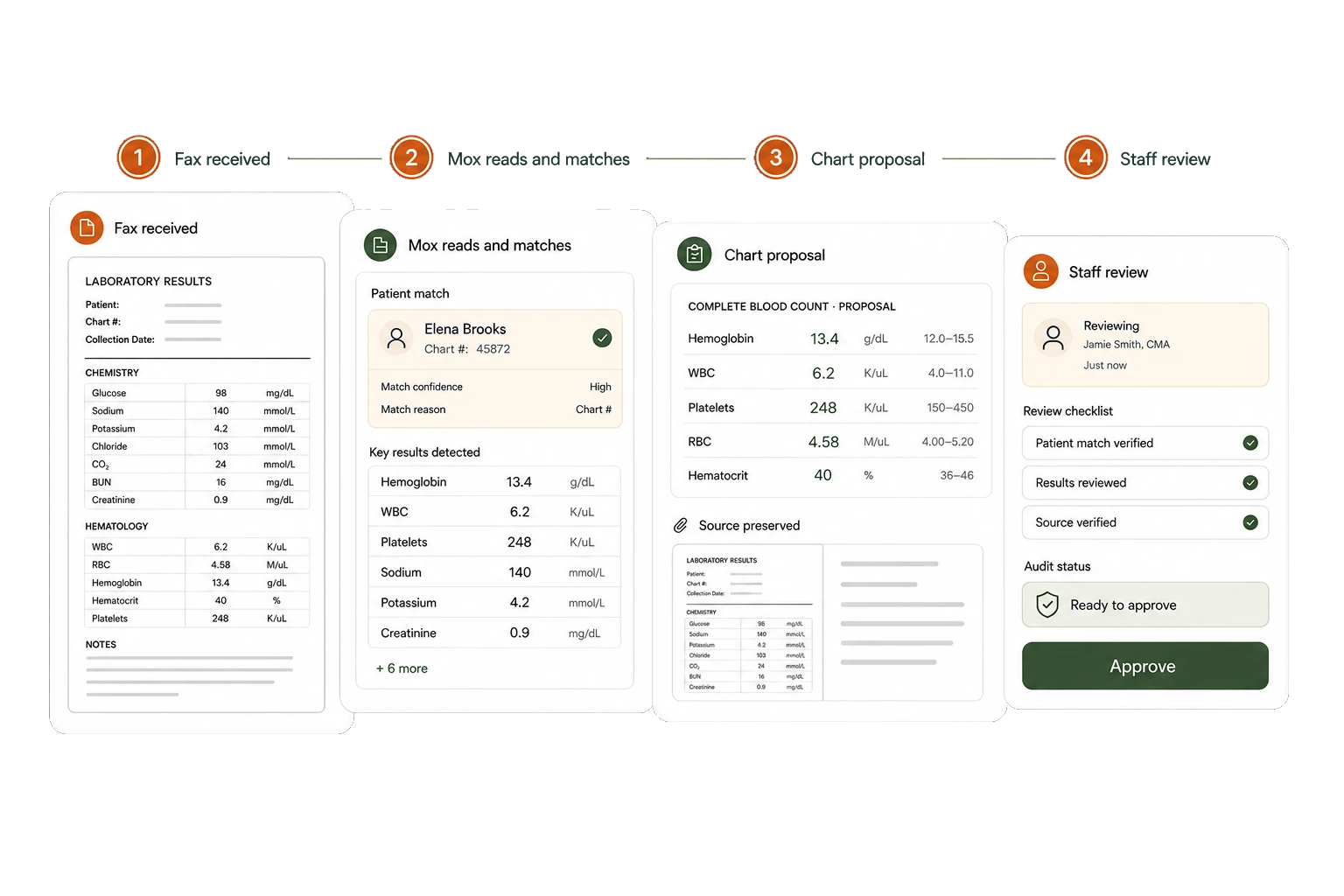
A report arrives. Someone has to find where it belongs.
- Read the incoming fax.
- Find the patient and enter the details.
- Track down the person who needs to review it.
HEALTHCARE EFAX
Send from the chart and receive into one clinic inbox. Mox reads incoming documents, proposes the patient match and prepares useful clinical information for your team to review.
SEE WHAT CHANGES
Keep the document, patient record and next action together instead of downloading, renaming and retyping.
A FAMILIAR SCENARIO
WITH MOXCARES
Mox identifies patient details, document type and relevant information in the incoming fax.
The original source stays beside proposed information; uncertain matches go to staff.
Illustrative workflow. Your practice sets the rules, permissions and human handoffs.
BUILT INTO THE WORKFLOW
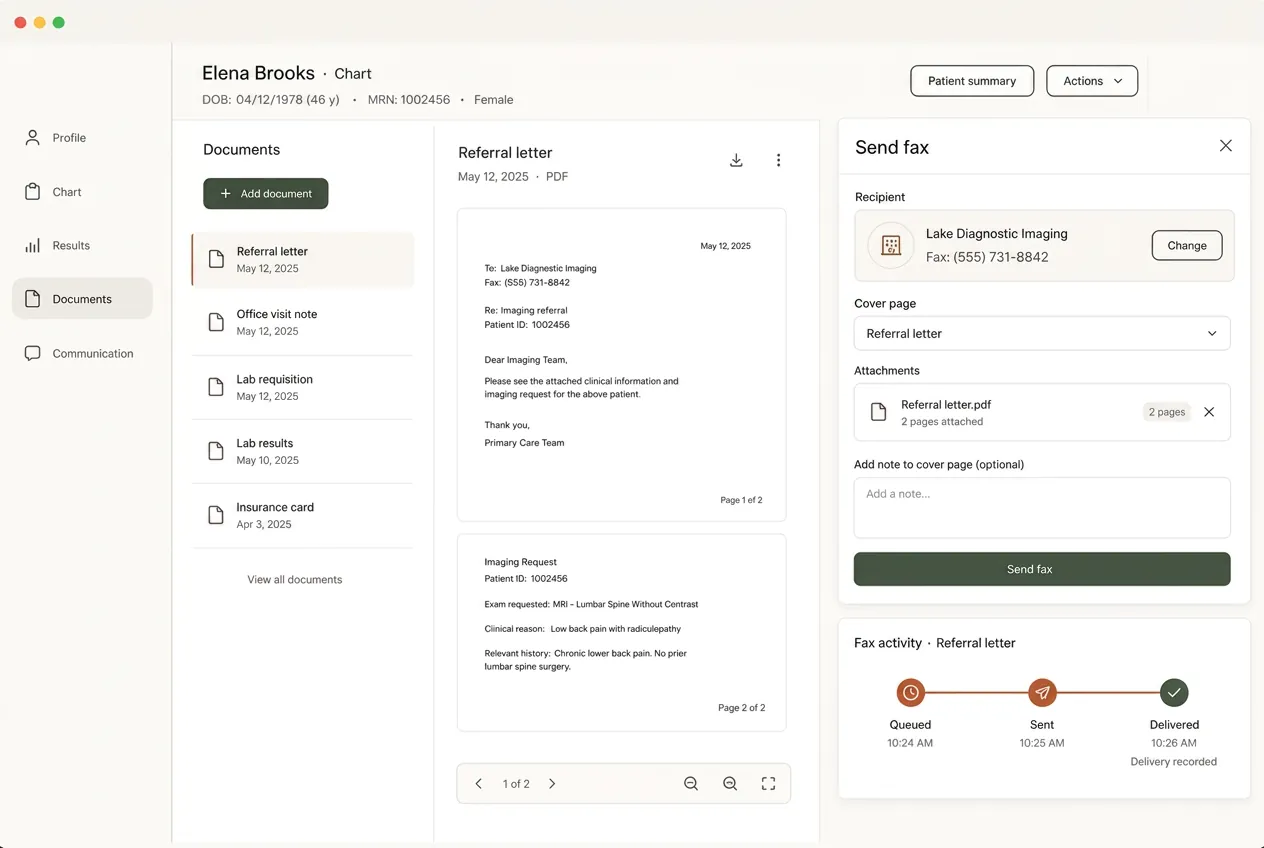
Fax signed notes, referrals, records releases and orders without moving files into a separate portal. Delivery status stays connected to the document.
Prepare extracted values as reviewable results, with the source report available alongside them.
Keep referral details and prior-authorization responses with the correct patient and review workflow.
Send chart documents and follow their delivery history without keeping a separate fax log.
SEE IT IN PRACTICE
Mox reads an incoming fax, proposes structured results and preserves the original document for human review.
Mox reads an incoming fax, proposes structured results and preserves the original document for human review.
CLEAR RESPONSIBILITIES
Mox prepares the work without silently changing the clinical record. Role-based access, encryption and an append-only audit trail keep proposals and approvals traceable. A BAA is included with every plan.
Explore the Trust CenterFIT THE SOLUTION TO YOUR PRACTICE
The clinical workflow on this page uses the Moxcares EHR and selected modules. Keeping your current EHR? Start with our patient-engagement layer instead.
AI front desk, patient engagement and a reviewed handoff to your clinical system.
Patient engagement and our EHR, with optional clinical and revenue modules.
Scribing, payments, verification and claims are optional paid modules. Plan inclusions, usage and module requirements vary. See plans and add-ons
BEFORE YOU DECIDE
Yes. You can request a new dedicated number or have the Moxcares team coordinate porting your current clinic fax number.
Yes. Notes, referrals, records releases, orders and other chart documents can be sent without downloading them into a separate fax portal.
Mox prepares matches and structured proposals. Clinical information is not committed to the chart until an authorized person reviews and confirms it.
The fax is placed in a review queue so staff can select or correct the patient before anything is filed.
Yes. The original document remains available as source evidence alongside any approved structured result or chart entry.
Yes. Moxcares includes a BAA, encryption, role-based access and attributed audit logging. See our security architecture for the full details.

Separate C-CDA import from ongoing sync, then check fields, permissions and validation.
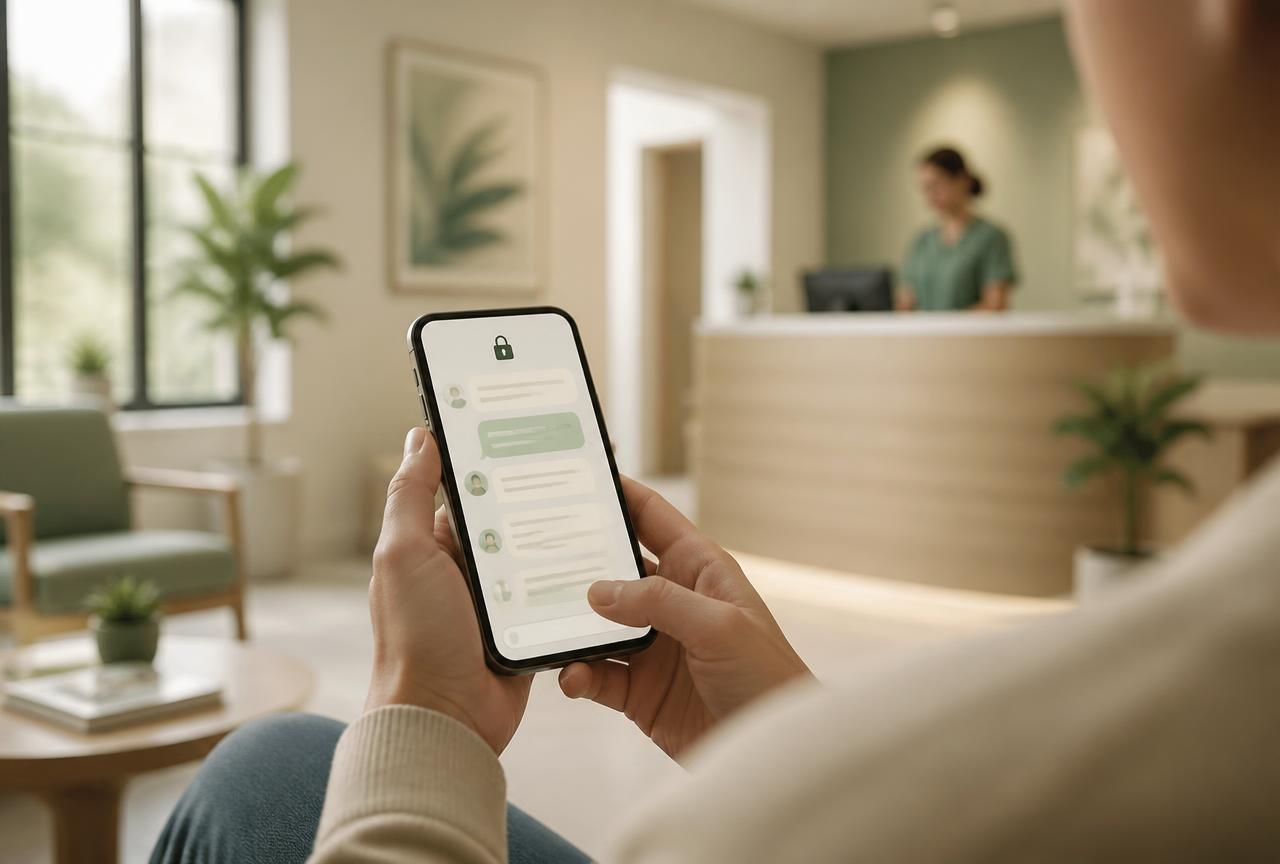
Consent, authenticated links, two-way threads with attachments, and an exportable audit trail.

The recording exists only while it's being processed. Then it's gone.
YOUR PRACTICE. YOUR PACE.
Bring a workflow your team wants to improve. We’ll show the next steps with Moxcares, whether you keep your EHR or use our full platform.
Show me my workflowA focused conversation. A practical next step.