
01
Keep the inbox moving
Help with routine patient conversations and bring questions that need staff into view. Secure clinical conversations and attachments stay in the authenticated patient communication workflow.
Explore Keep the inbox moving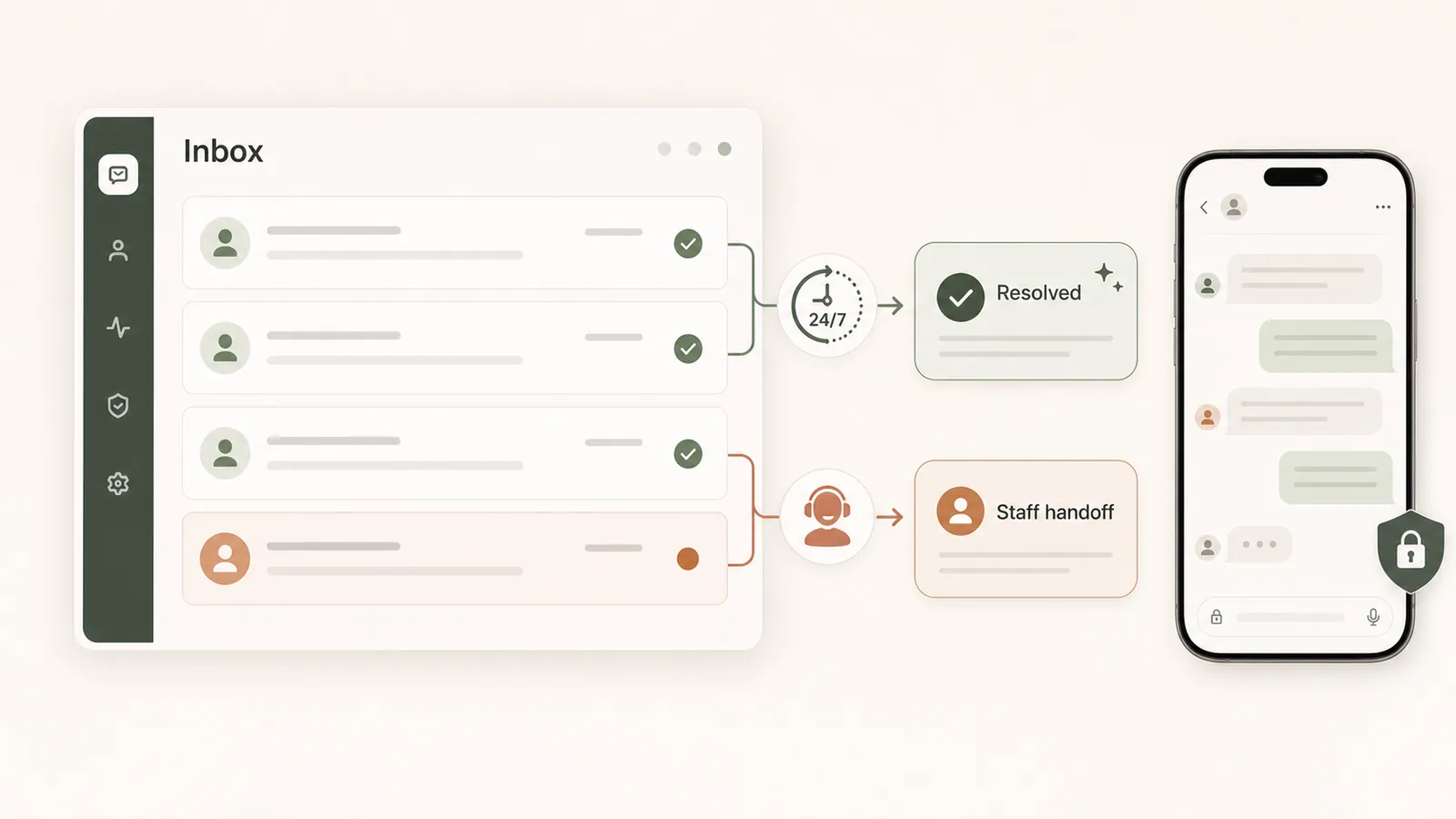
MEET MOX · YOUR AI STAFF
Mox does more than answer a question. It prepares and carries out permitted workflow tasks across your practice—so staff can spend less time chasing the next step and more time with patients.
CONNECTED, STEP BY STEP
Choose the responsibilities that fit your practice, review items that need a person, and keep an activity record of the work.
Decide which supported workflows Mox should help with and which actions require review, within your clinic's permissions and controls.
Staff see the proposed next step and its context. Clinicians review, edit or reject clinical proposals before accepting them into the chart.
See completed activity and outstanding work. The audit history identifies the actor and action so your team can trace what happened.
BUILT FOR THE WORK ITSELF
From patient-facing tasks to clinical preparation and records, Mox works with the same patient context your team uses.
01
Help with routine patient conversations and bring questions that need staff into view. Secure clinical conversations and attachments stay in the authenticated patient communication workflow.
Explore Keep the inbox moving02
Turn your clinic's PDF forms into chat-style intake. Mox summarizes the responses and prepares structured chart proposals for the clinician to review, rather than leaving staff to retype a form.
Explore Make intake usable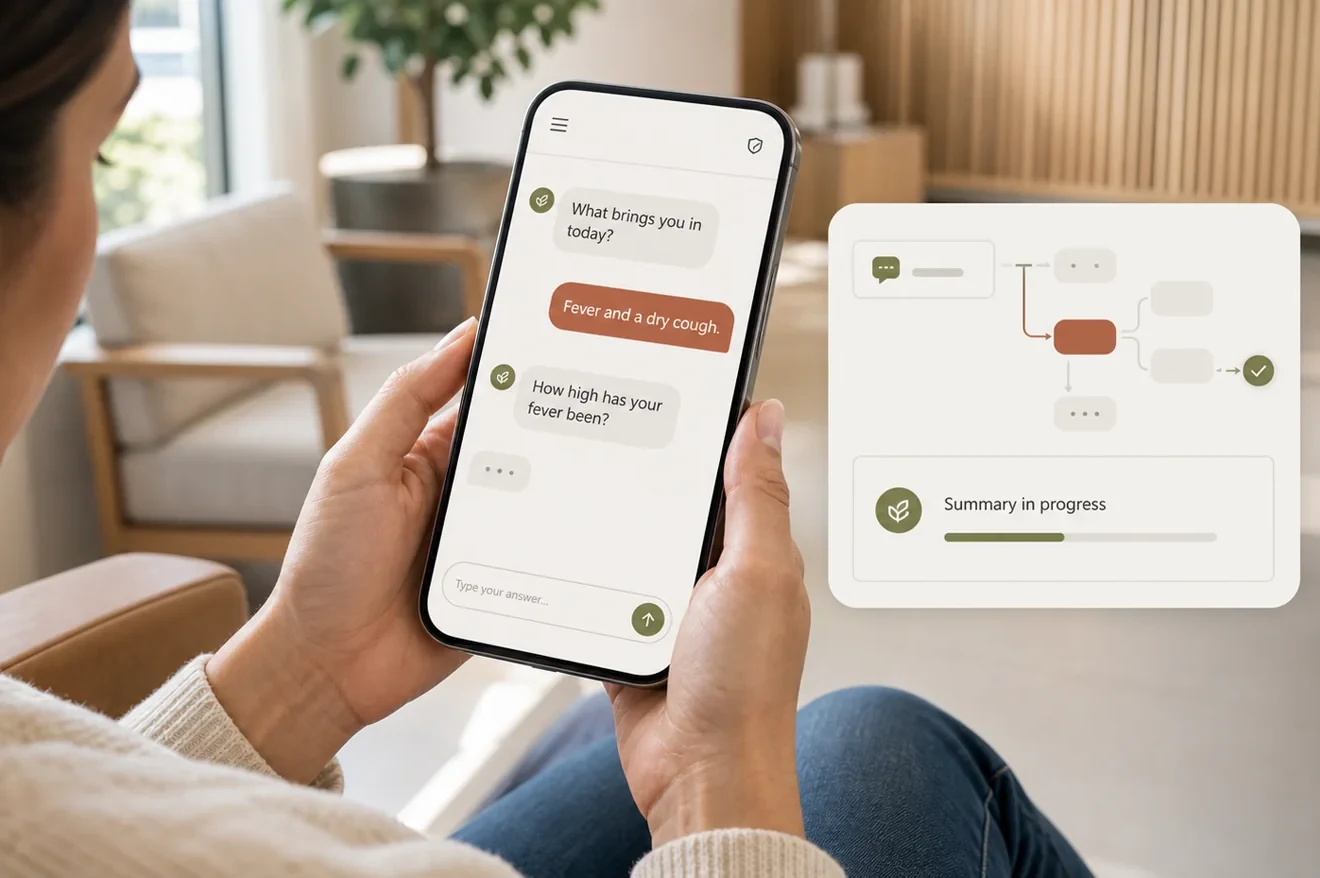
03
When a slot opens, Mox offers it to eligible waitlisted patients. Patients choose from their phone and Mox books the accepted time, helping the front desk avoid calling down a list.
Explore Offer the open appointment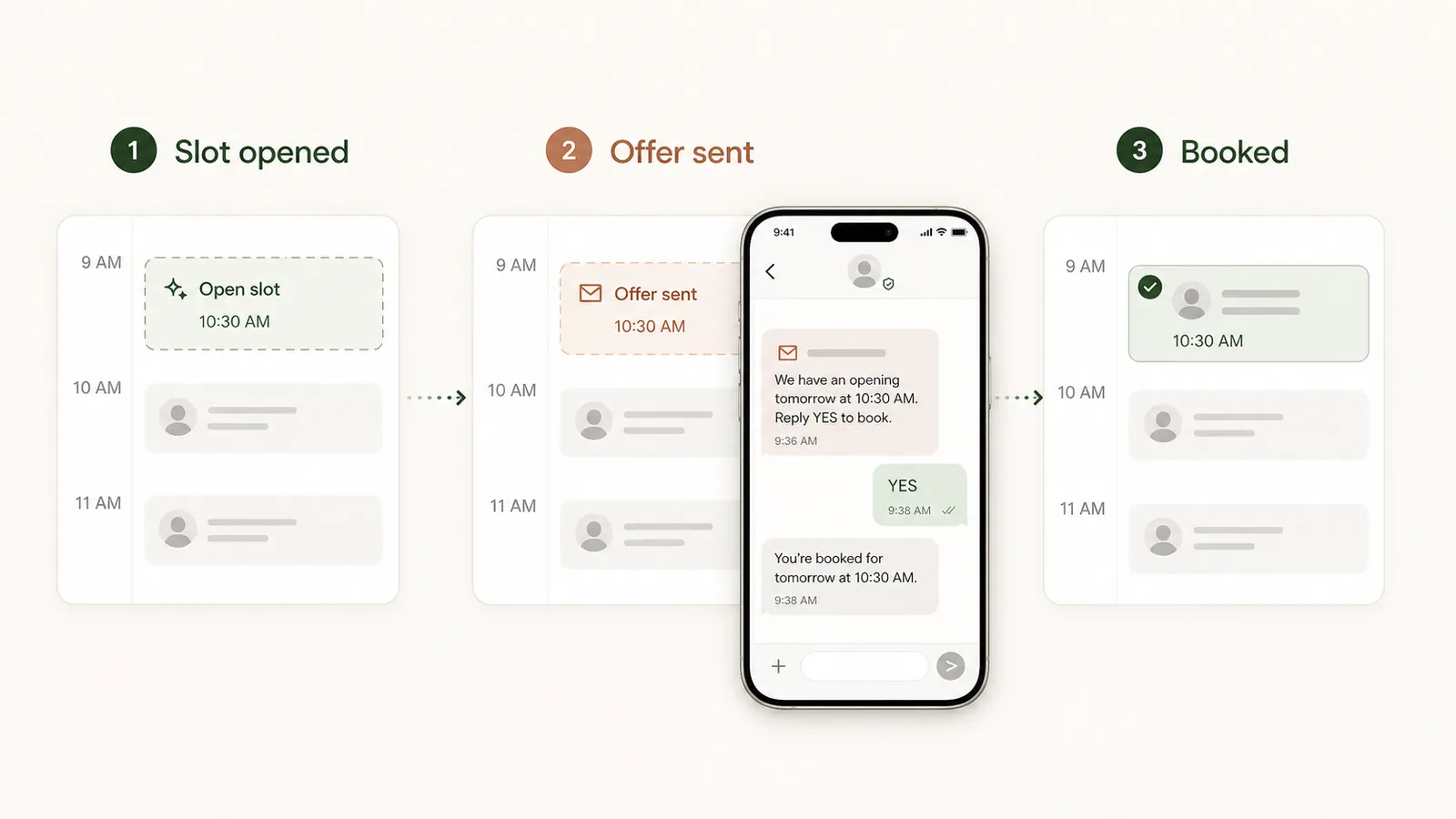
04
Bring intake summaries and note proposals into the chart. Ask the Chart returns answers linked to source records; clinical decisions and approval remain with the clinician.
Explore Prepare clinical work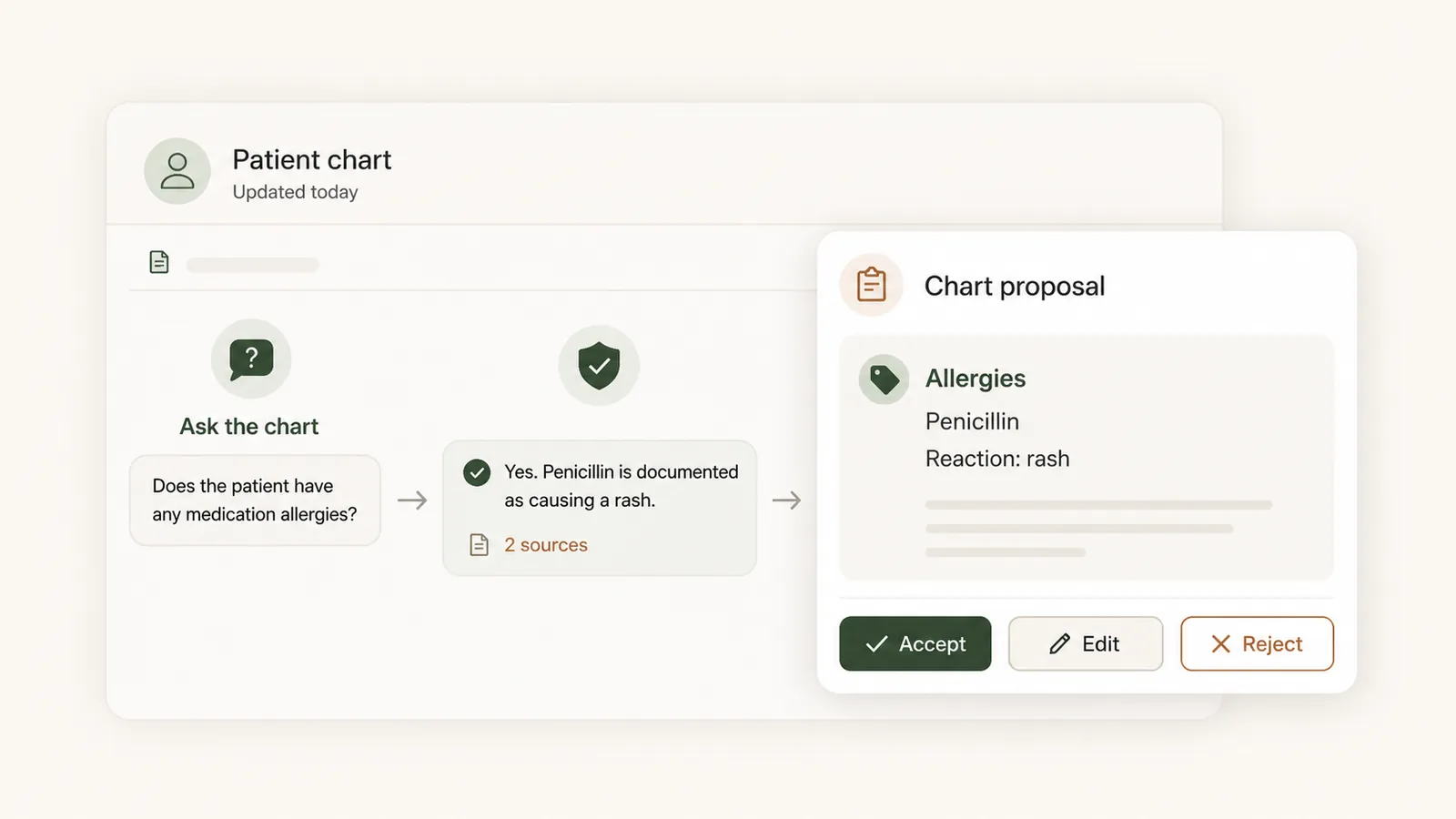
05
Identify the patient, read results and propose the appropriate filing. Original documents remain as evidence, and uncertain patient matches are brought to a person for review.
Explore Read incoming documents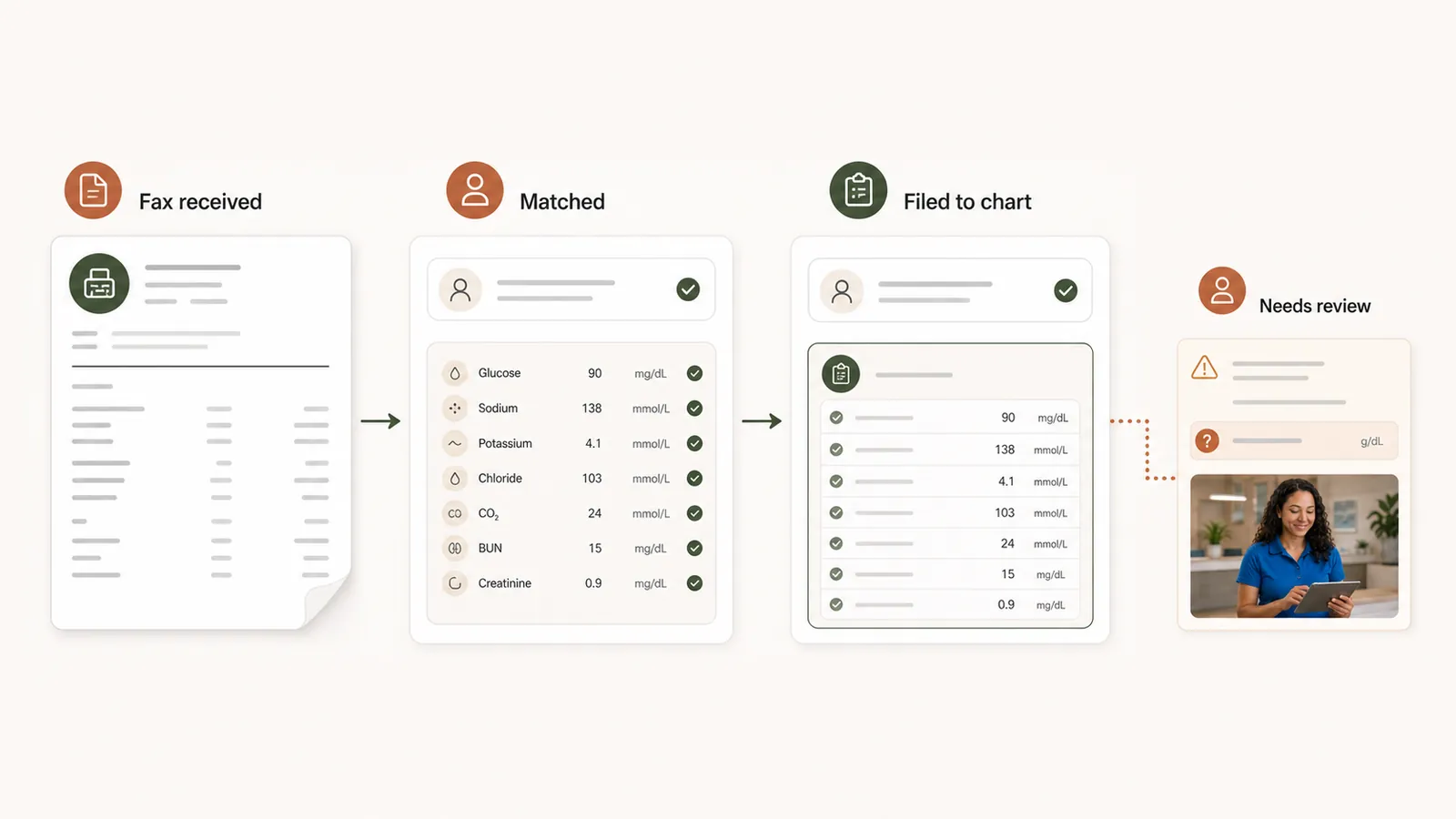
06
Follow proposed work and completed activity with clear actor attribution. Human approval and role-based access are part of the workflow, not a note added after the action.
Explore Make oversight visible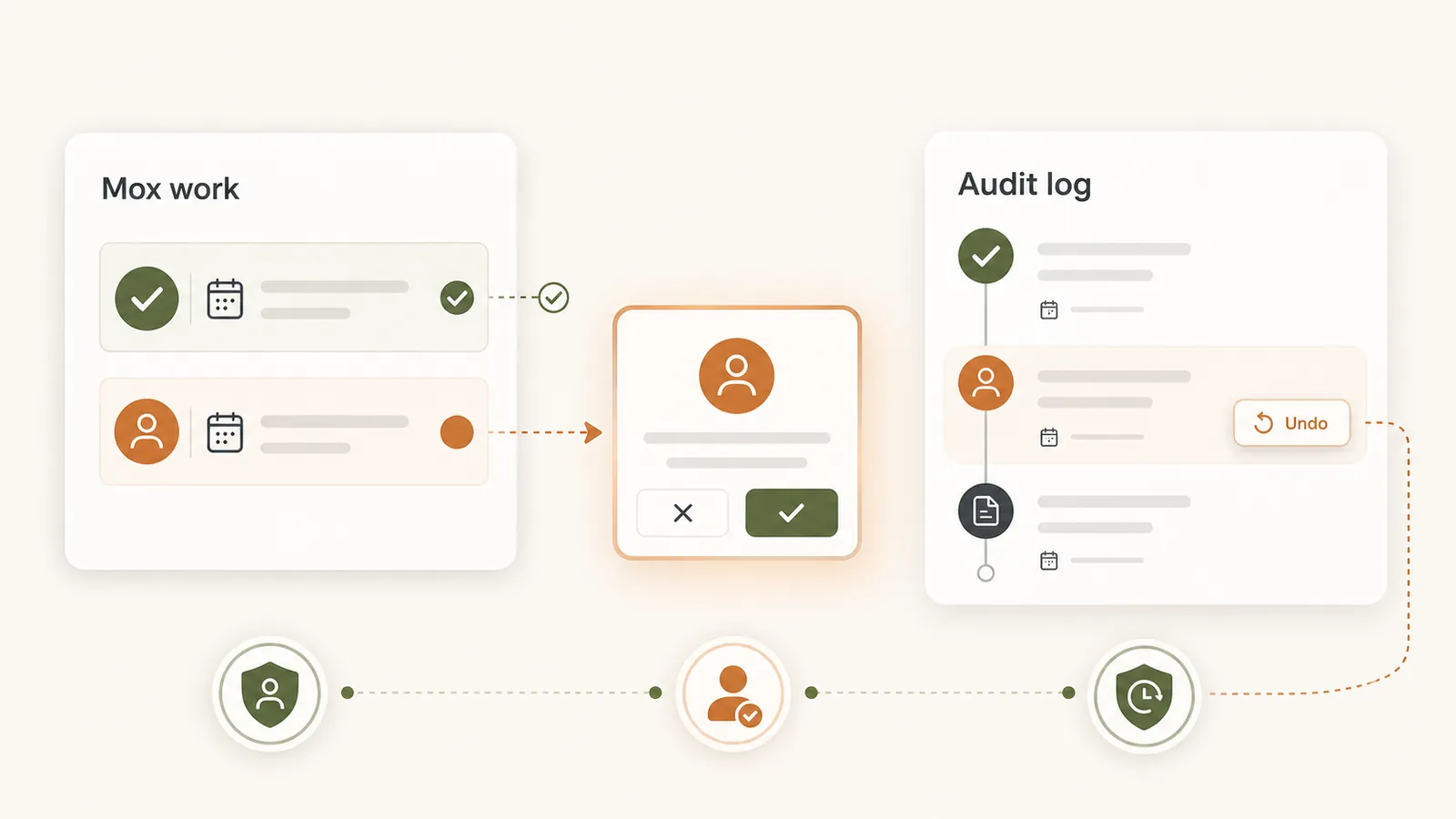
SEE IT IN PRACTICE
See Mox prepare real clinic work, bring decisions to a person and keep activity visible. Your team remains responsible for the work it approves.
See Mox prepare real clinic work, bring decisions to a person and keep activity visible. Your team remains responsible for the work it approves.
THE PHONE HAS ITS OWN WORKFLOW
The AI Receptionist is the dedicated voice experience for your clinic. Mox is the broader AI staff layer that helps with the work across the practice.
Explore the AI Receptionist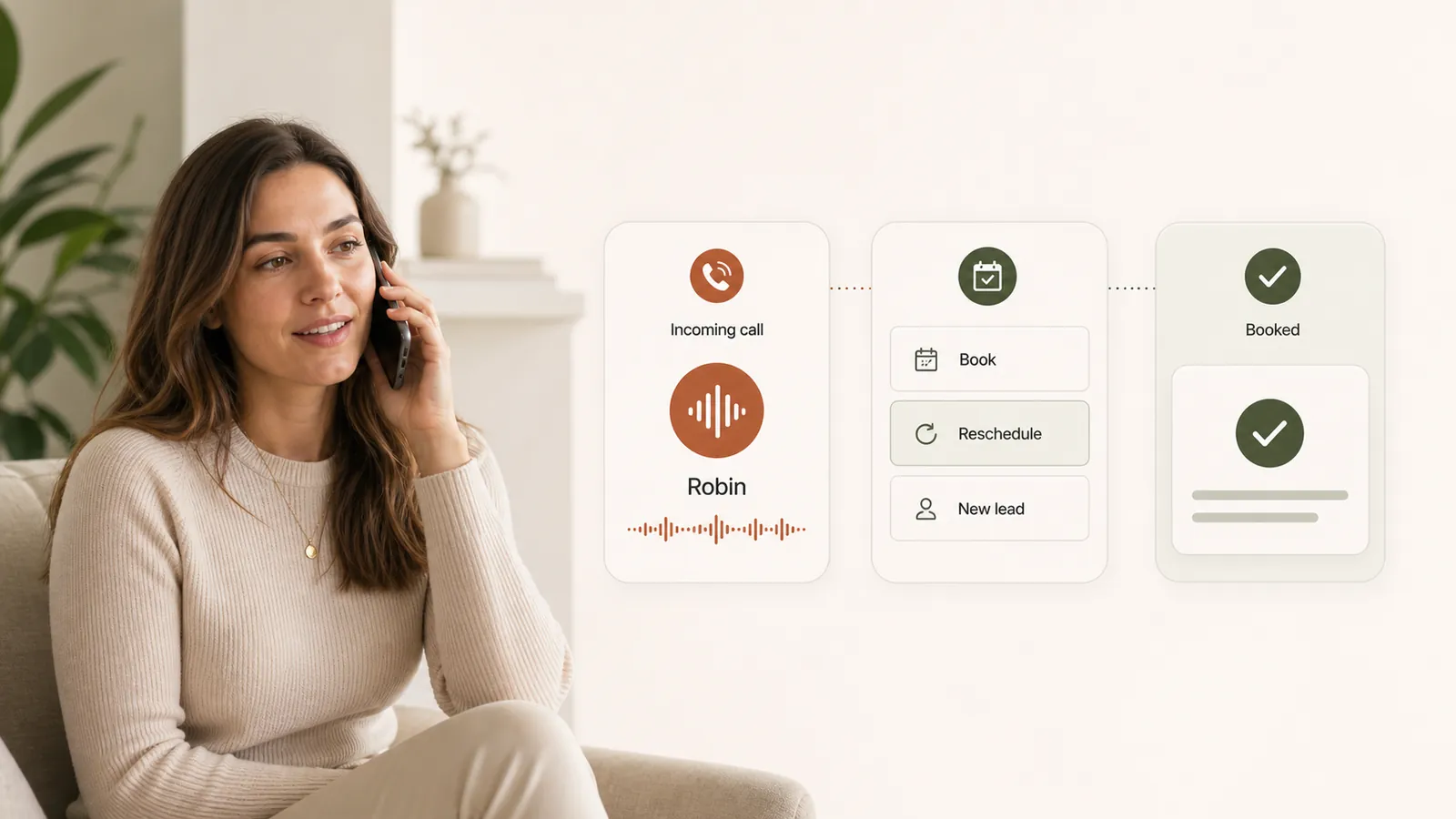
Choose what to call your receptionist and select a suitable voice during setup. There is no fixed public-facing assistant name you have to use.
Help callers book or reschedule, capture a message, or record interest when they are not ready to book.
Set the escalation path for staff attention. The receptionist is not a substitute for clinical advice or emergency services.
SUPERVISION IS PART OF THE PRODUCT
A helpful proposal should make the next decision easier—not hide it. Moxcares keeps the source, responsible person and activity history connected to the work.
Review the Trust CenterAI-generated clinical content remains a proposal until the clinician reviews and accepts it. Mox does not independently diagnose or prescribe.
Role-based access, patient authentication for secure conversations and consent controls help protect how information moves.
The Trust Center explains security controls, PHI vendor roles and tamper-evident audit history. It is a self-maintained disclosure, not a SOC 2 certification.
BEFORE YOU DECIDE
A chatbot primarily responds in a conversation. Mox also prepares and carries out supported, permitted workflow tasks—such as offering waitlist openings and preparing clinical or document proposals—with review and activity tracking.
The aim is to reduce repetitive admin work and give the team more time for patients. Staff handle exceptions and relationships, while clinicians remain responsible for clinical decisions.
Yes—start the discussion with the work you most want to improve. We will confirm its setup, permissions, plan inclusions and any dependencies before you adopt it.
AI-generated clinical content is prepared as a proposal for clinician review. The clinician can edit, accept or reject it; approval does not transfer clinical responsibility to the AI.
Use the pricing page for current plans and confirm the responsibilities, usage allowances and additional service costs relevant to your clinic during a demo.

Week by week, what an AI staff member owns across intake, reminders, and follow-ups.

Call flows, human handoffs, test scenarios and a downloadable pilot scorecard.

Plan patient access, clinical support and billing responsibilities before choosing your first hires.
YOUR PRACTICE. YOUR PACE.
Bring your toughest workflow. We’ll show you how Moxcares can help—and what moving over would look like.
Show me my workflowA focused conversation. A practical next step.