
01
Ambient scribing
Turn the patient conversation into a structured note proposal. Clinicians review, edit and sign while the source audio is purged after processing.
Explore ambient scribing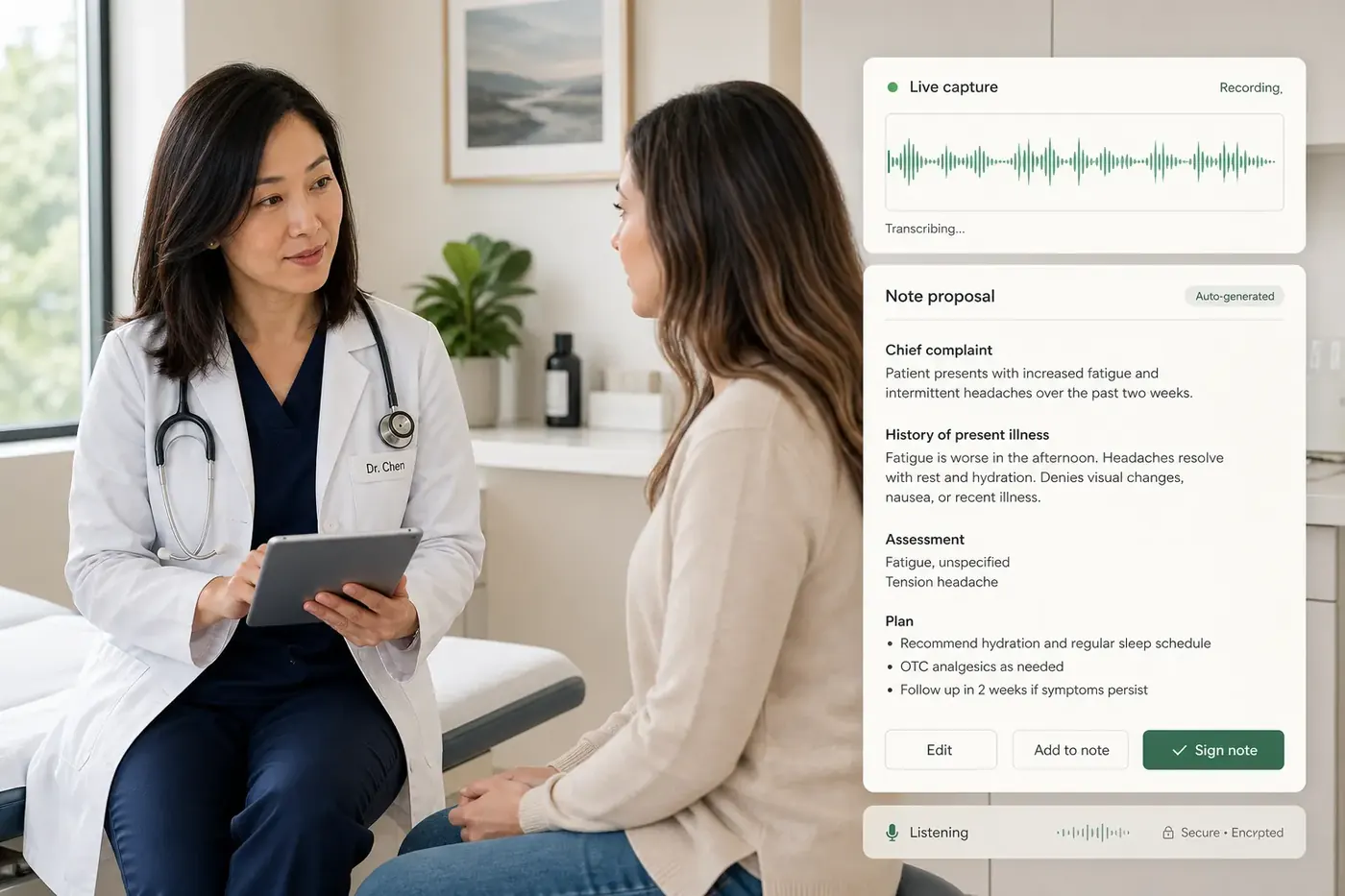
MODERN EHR · CHARTS & DOCUMENTS
A modern AI EHR for independent practices. Bring intake, patient history, ambient scribing, coding prompts and eRx into one clinical workflow—with every AI proposal ready for your review.

CONNECTED, STEP BY STEP
The encounter starts with the information already collected and ends with a clinician-approved record. Mox prepares the work; your clinical judgment stays central.
Patient responses arrive summarized before the encounter.
History, medications, allergies, labs and documents remain available in one record.
Ambient scribing captures the conversation; dictation lets clinicians record their findings and plan.
Moxcares organizes the visit into a structured, editable note.
Optional ICD-10 and CPT prompts and eRx remain inside the charting workflow.
The approved note and charges flow into the connected practice-management and claims workflow.
BUILT FOR THE WORK ITSELF
Reduce retyping, find the source and keep the next task close to the note. Explore the clinical capabilities already connected to the patient record.
01
Turn the patient conversation into a structured note proposal. Clinicians review, edit and sign while the source audio is purged after processing.
Explore ambient scribing02
Dictate findings or plans and let Moxcares prepare the appropriate note sections using the visit, intake and chart context. Clinical content remains a proposal until the clinician reviews and accepts it.
Explore note preparation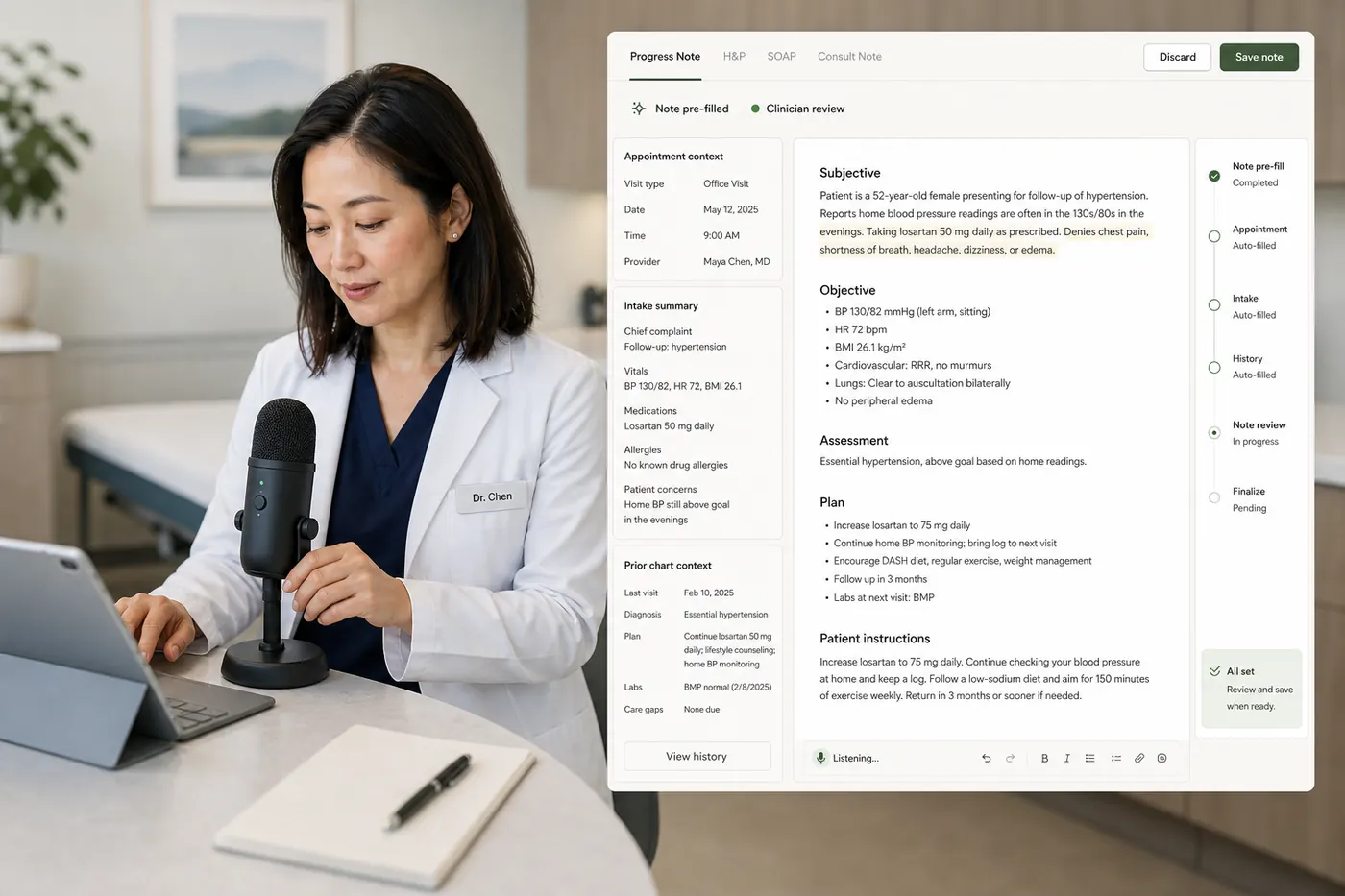
03
Patient intake arrives as a structured summary with reviewable chart proposals—not a PDF someone has to read and retype.
Explore conversational intake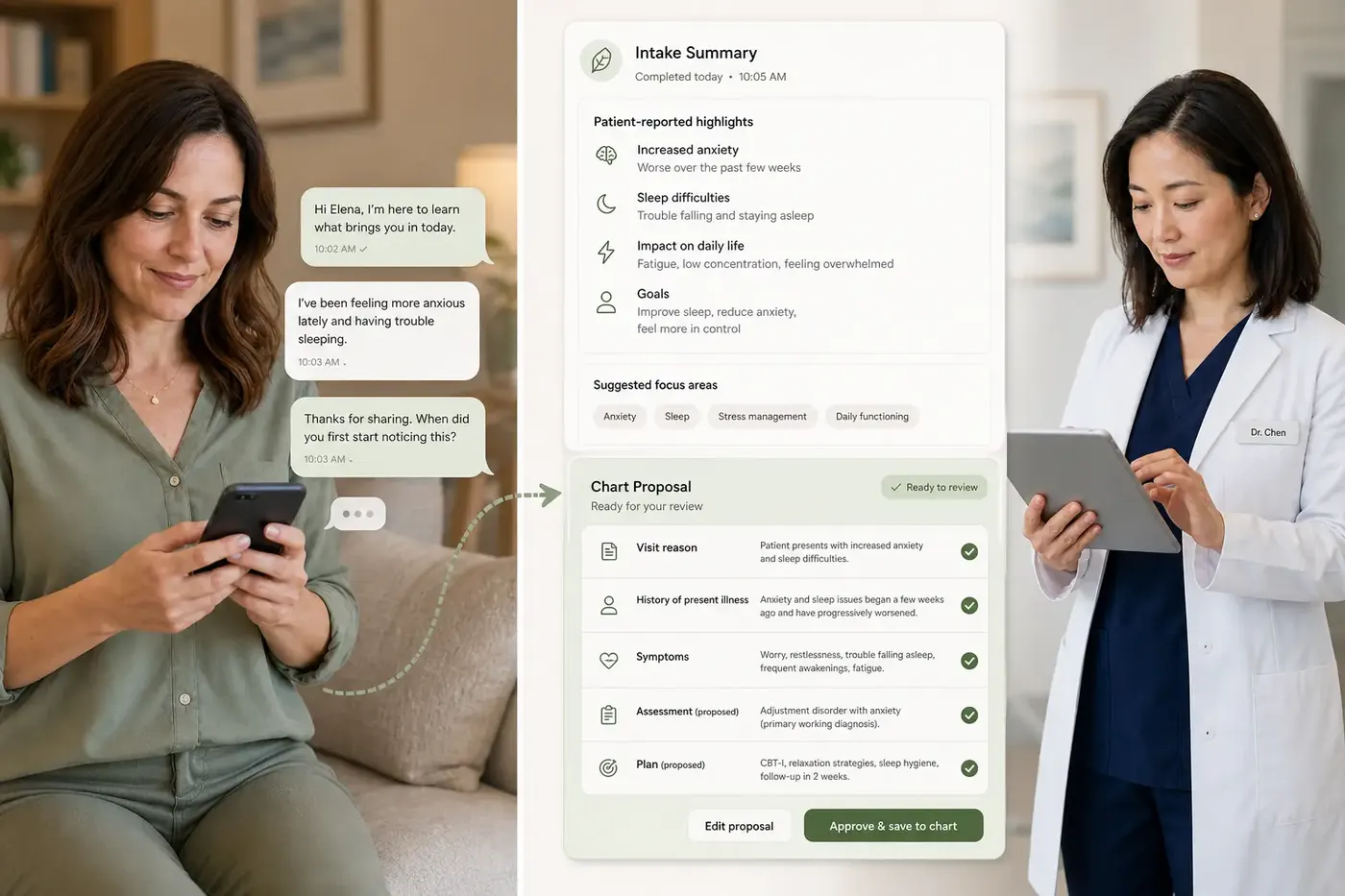
04
Ask about history, allergies, medications, previous notes or lab results in plain English. Every answer links back to the source record.
See the chart workflow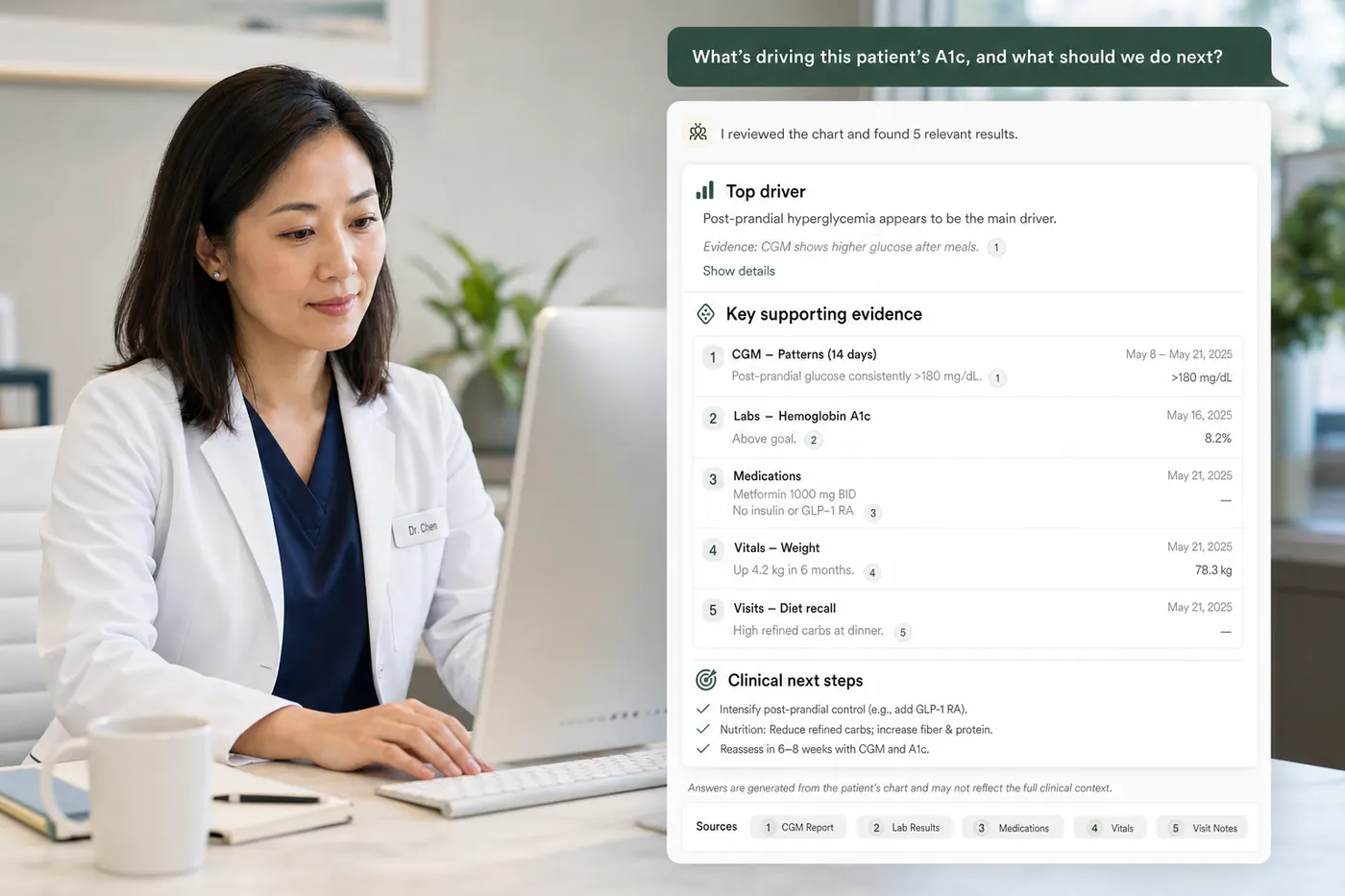
05
Receive optional ICD-10 and CPT suggestions while completing the note. Reduce lookup work and catch missing information before it becomes a claims problem.
Explore coding prompts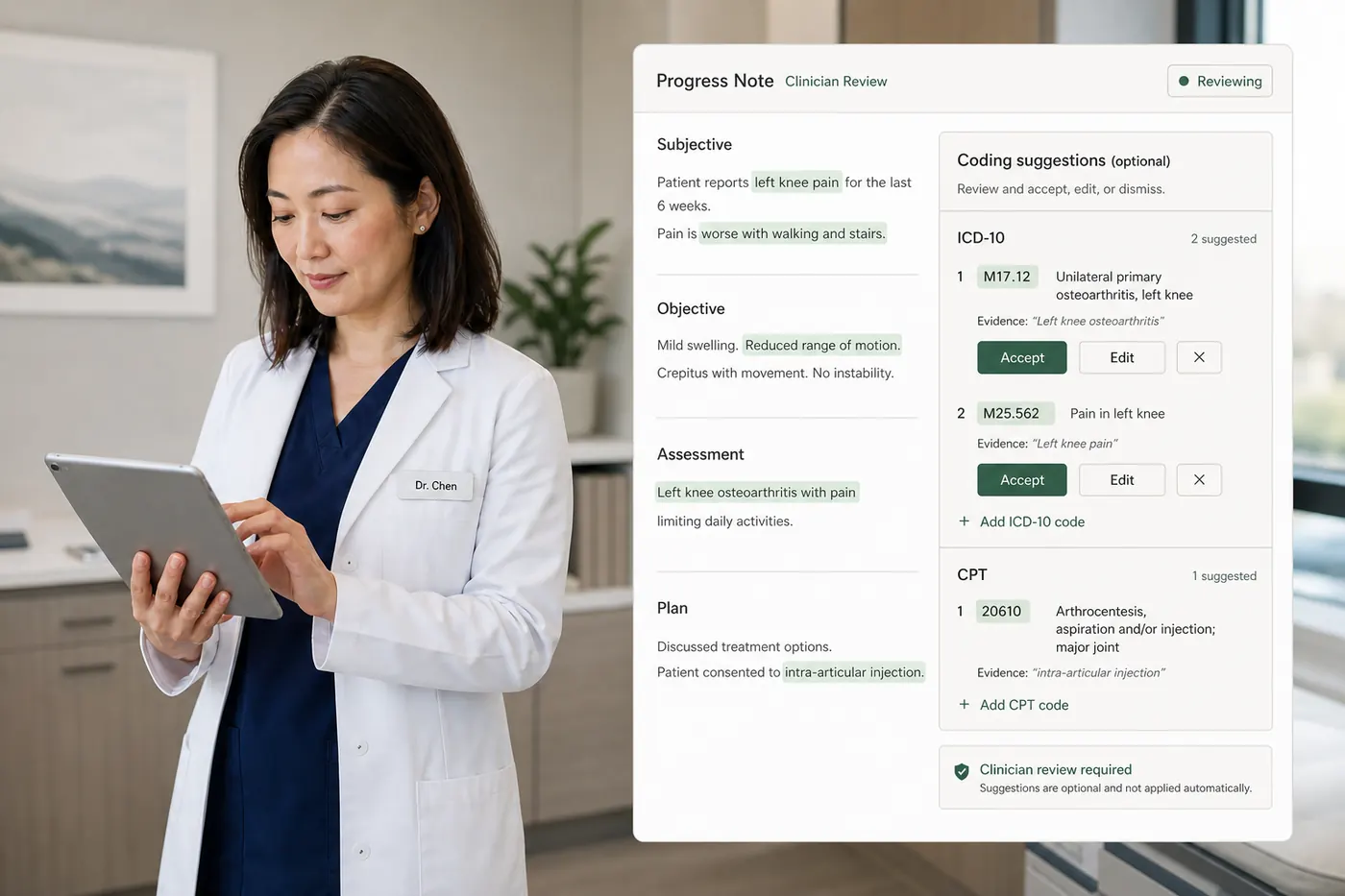
06
Review the patient record and prescribe from the same workflow, with preferred pharmacies, interaction checks and electronic routing powered through MDToolbox.
Explore ePrescribing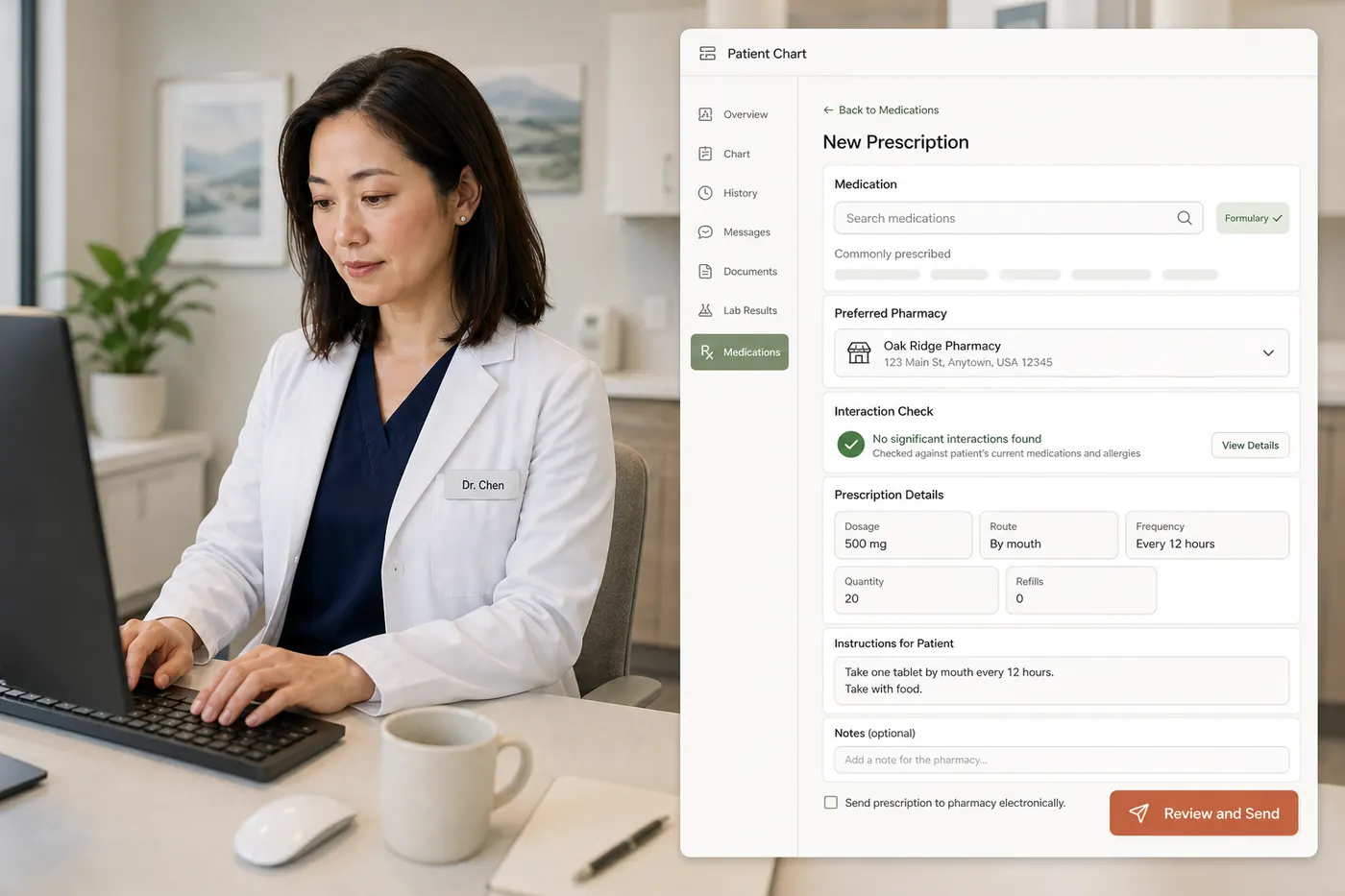
07
Moxcares reads incoming clinical documents, matches them to the patient, proposes structured results and preserves the original document as evidence. Uncertain matches go to human review.
Explore document triage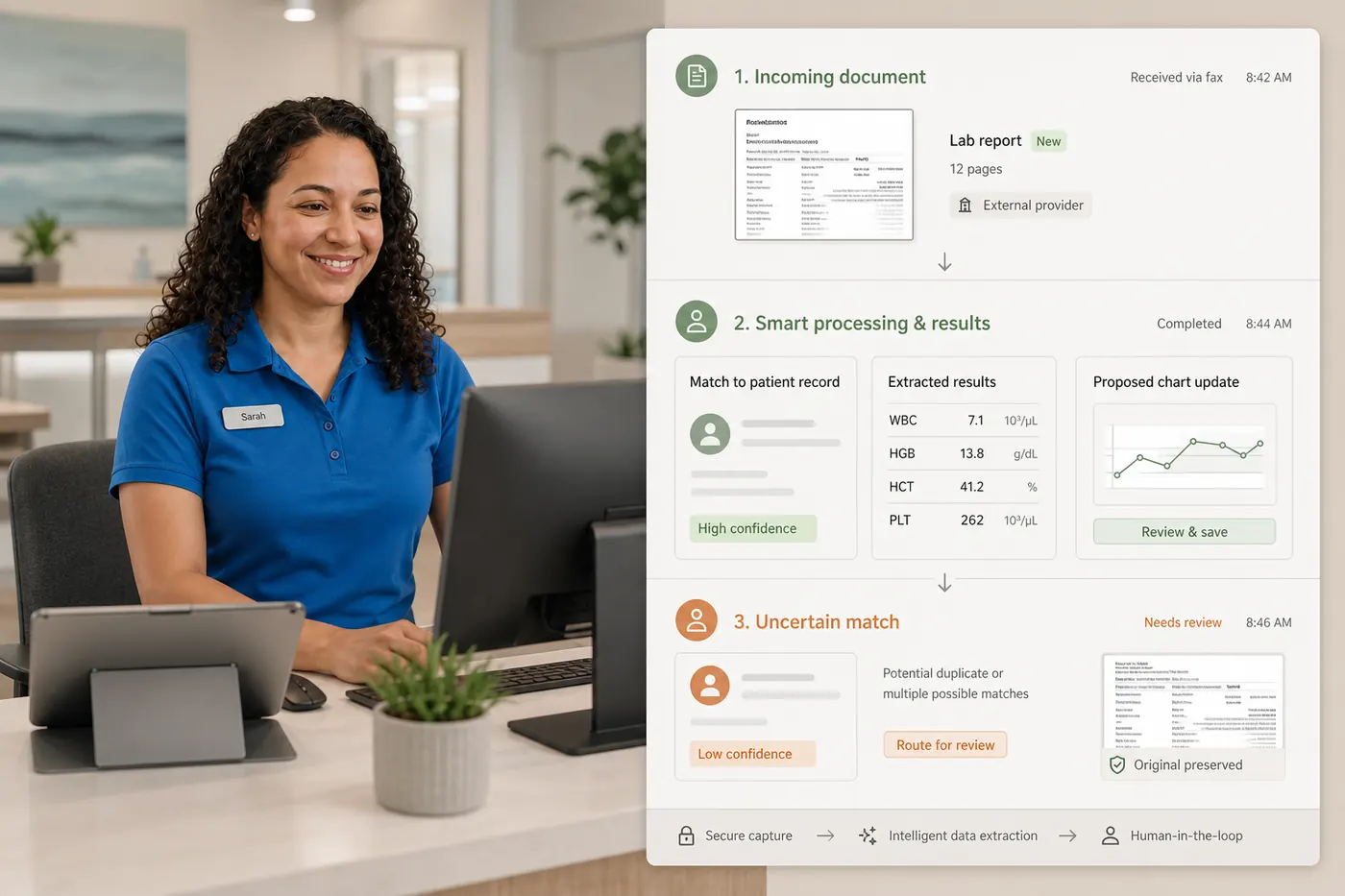
08
New lab results surface inside the chart with longitudinal trend views and automatic flagging of out-of-range values, so clinicians spot what matters without opening another portal.
See the clinical workflow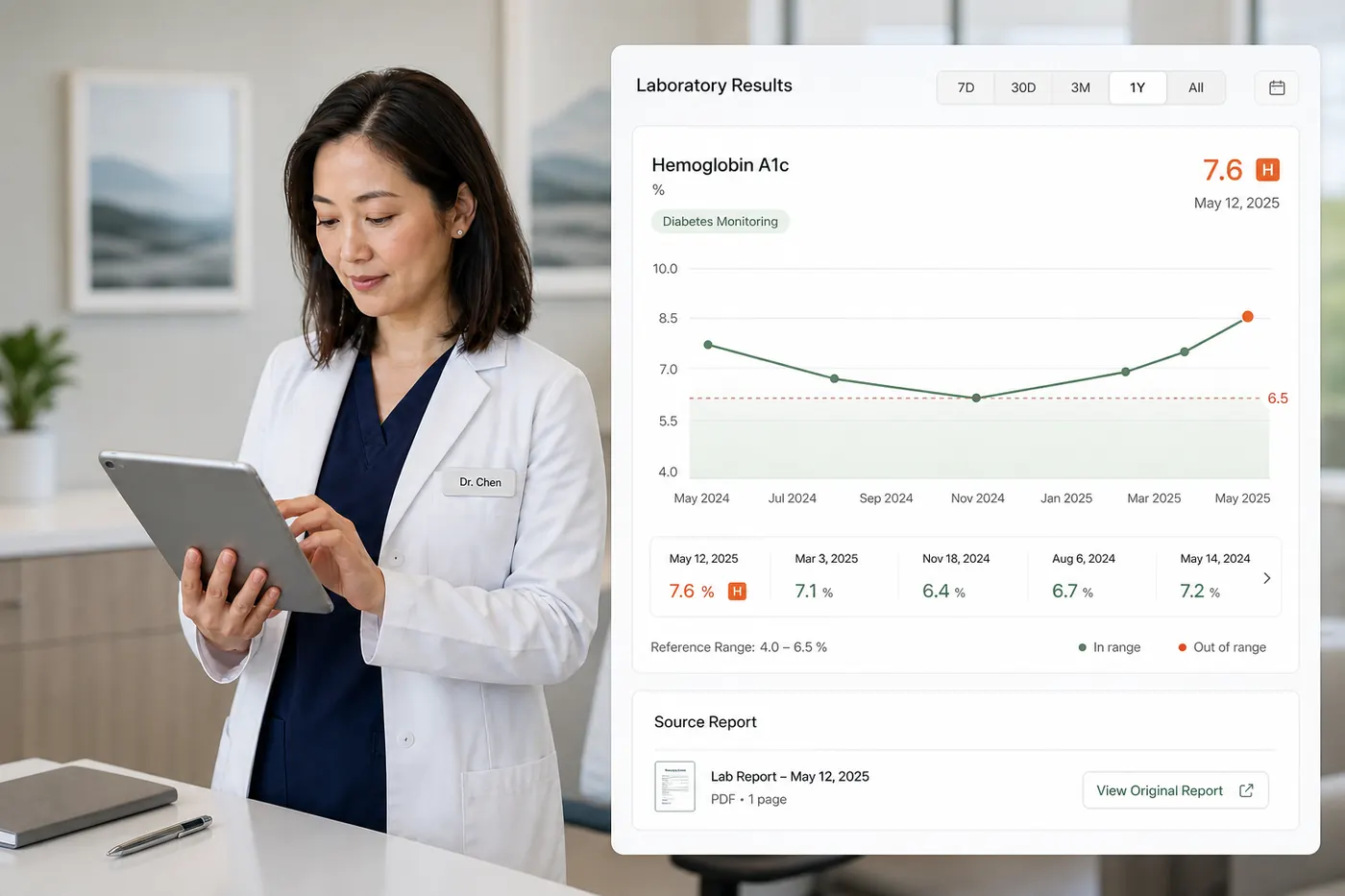
09
Scheduling, eligibility, claims, payments and patient communication use the same patient record as the chart—across one clinic or multiple locations.
Explore the platform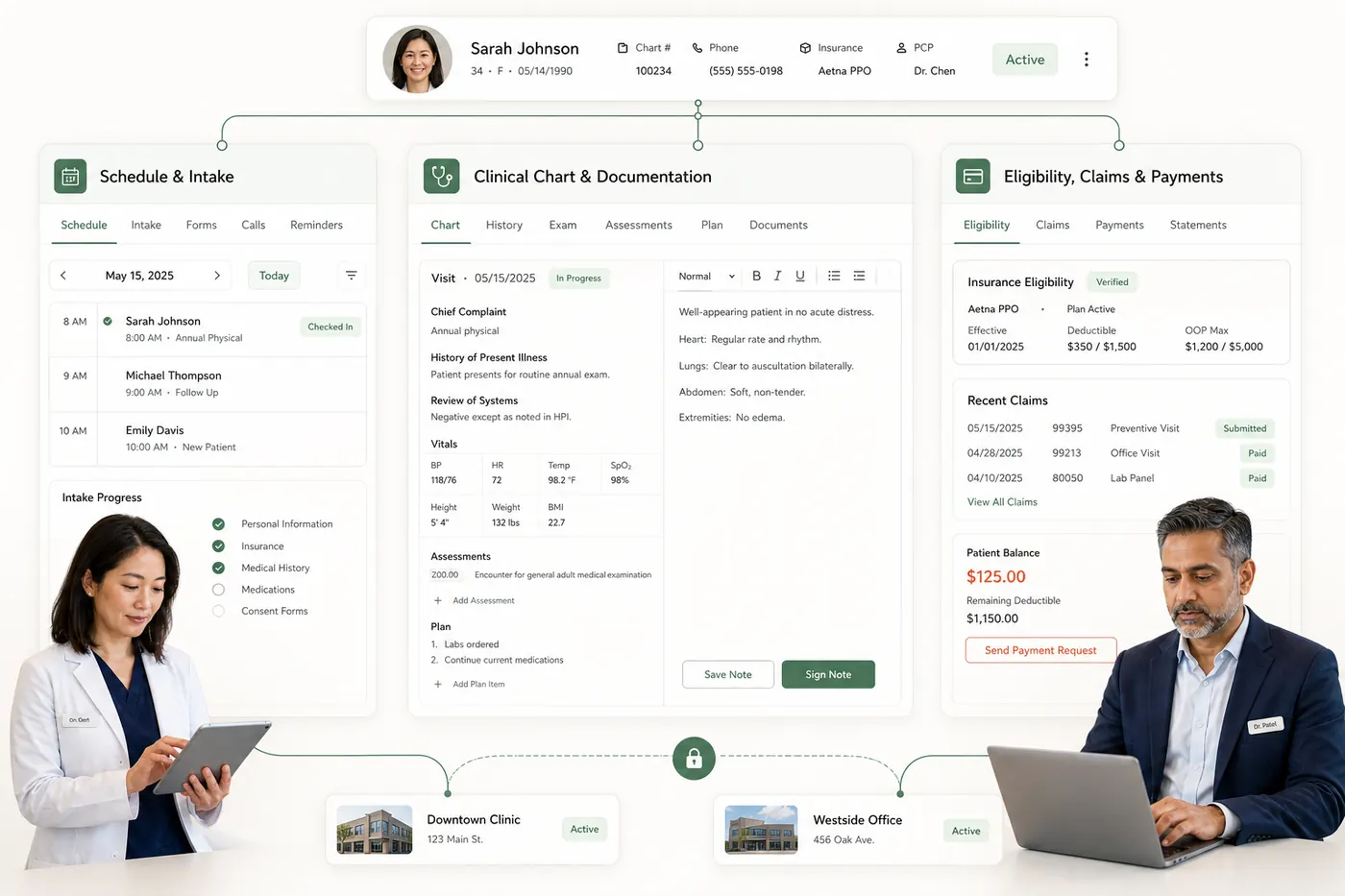
SEE IT IN PRACTICE
The patient conversation becomes a note proposal. The clinician reviews, edits and signs; source audio is purged after processing.
The patient conversation becomes a note proposal. The clinician reviews, edits and signs; source audio is purged after processing.
WHY PRACTICES SWITCH
Repeated entry, scattered context and disconnected tools can turn documentation into after-hours work. Bring the information and the next action into the same visit.
Explore a better transition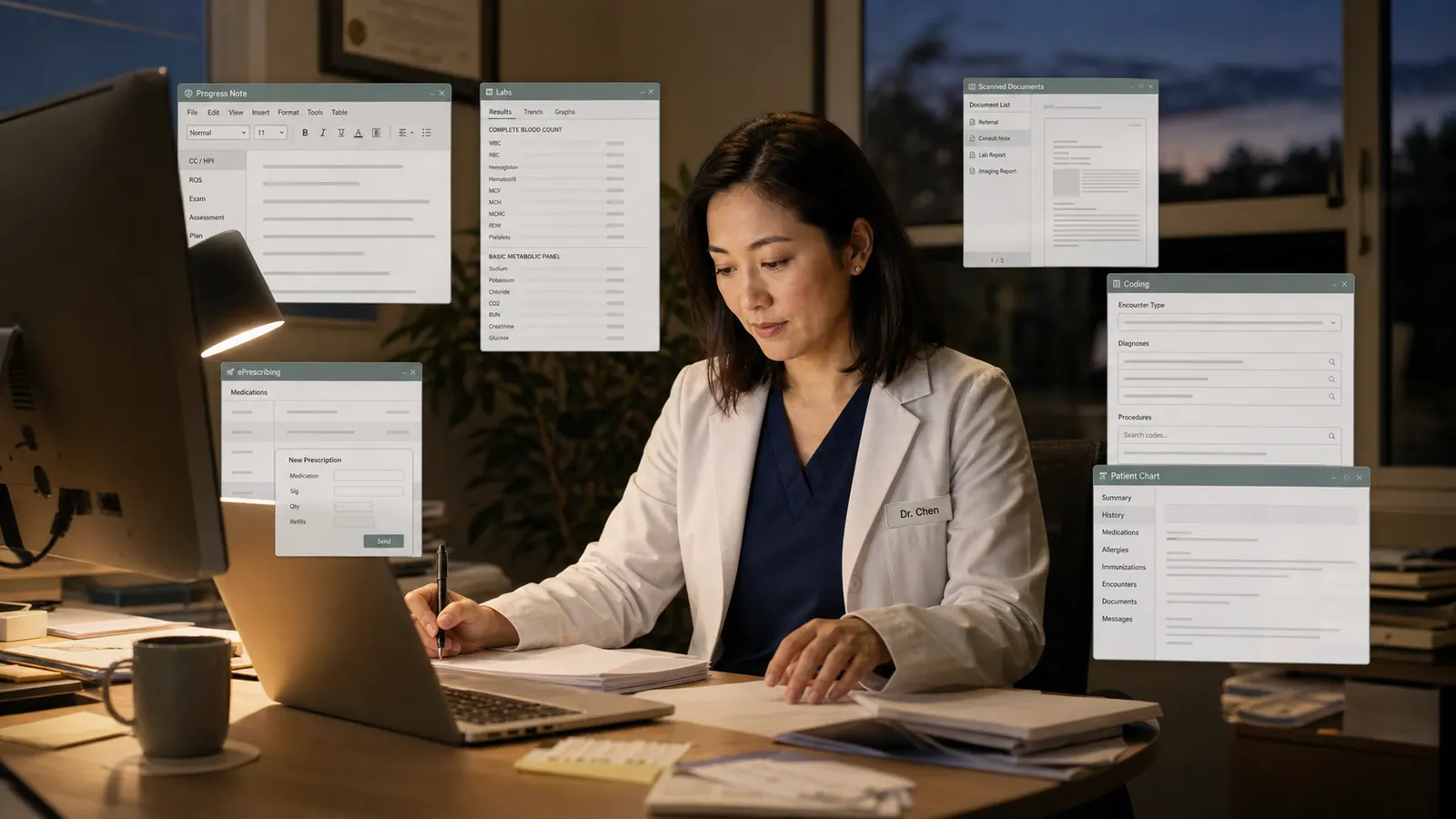
Intake, referrals and outside records arrive in different formats. Staff re-enter information while clinicians search separate tabs for history, medications and labs.
Rigid templates and disconnected dictation tools leave providers completing documentation after clinic hours.
Clinicians leave the note to search codes, check another system or open a separate prescribing application.
CLINICIAN-SUPERVISED AI
Moxcares prepares clinical work without silently writing into the record. Proposals have sources, activity is attributable and clinical decisions remain with the clinician.
Review the controls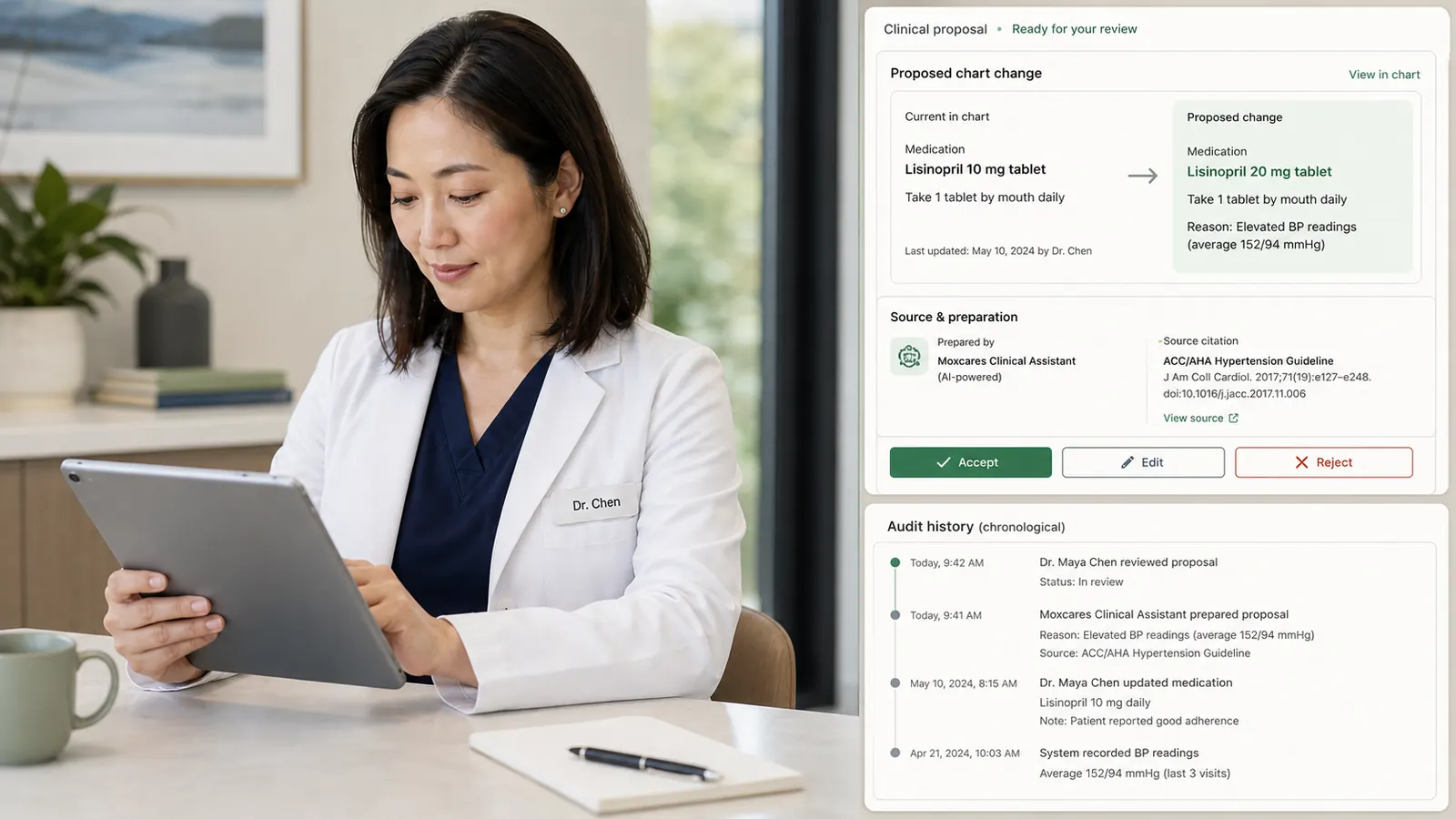
Every AI-generated entry stays a proposal until a named clinician approves it.
See whether information came from a clinician, intake, a lab or Mox. An append-only, tamper-evident log keeps the associated activity traceable.
HIPAA-ready architecture with consent enforcement on outbound messages.
SWITCHING EHRs
C-CDA import can bring available patients, problems, medications, allergies, notes and documents into the transition. We help configure templates, validate imported records and support the team through go-live.
Plan your EHR migration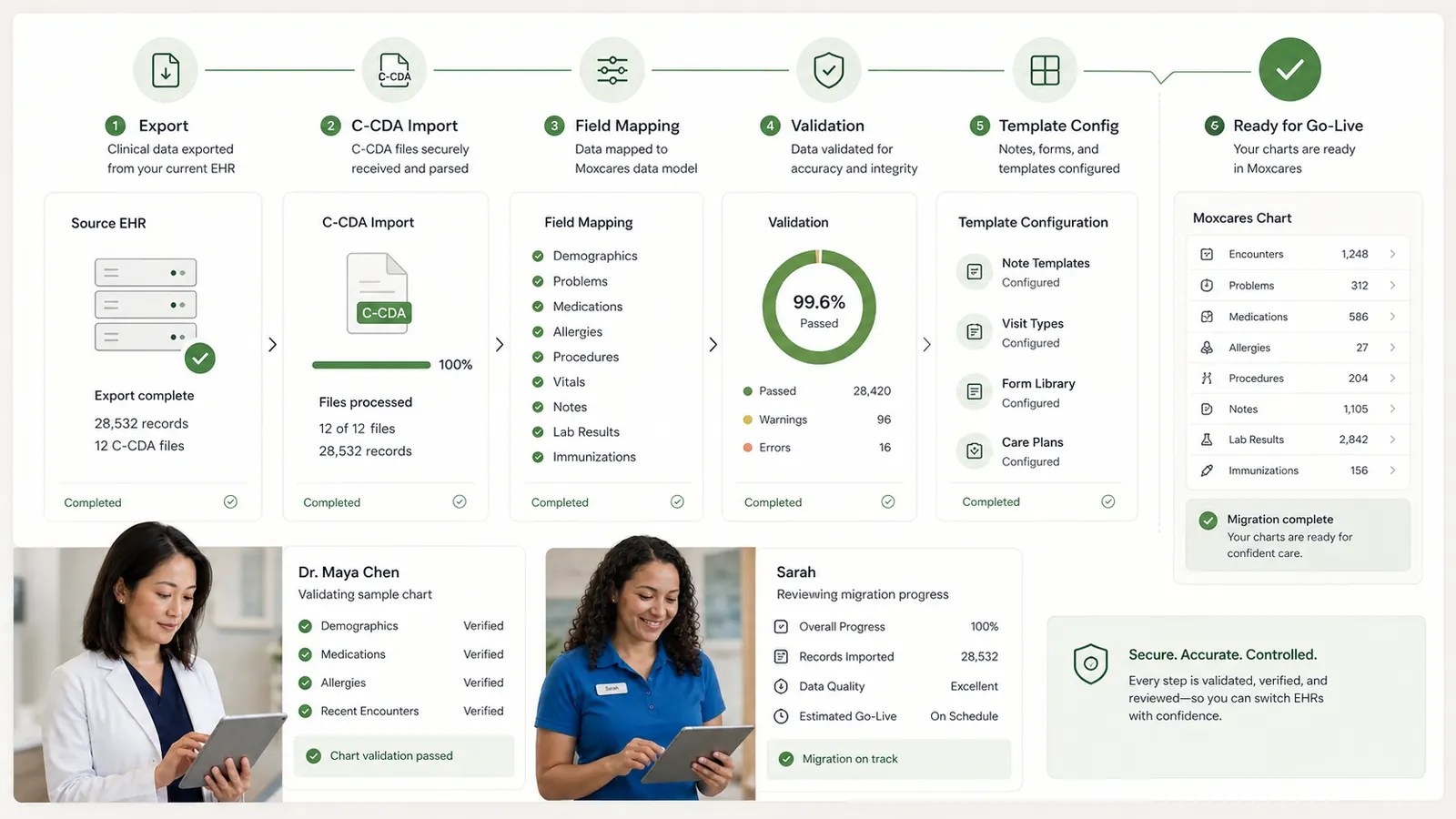
Confirm what the current EHR exports and identify any attachments or history that need a separate plan.
Review imported patient data, clinical content, templates and permissions with your team before go-live.
Timing depends on export quality, scope and your practice's readiness. We plan the transition around those requirements.
BEFORE YOU DECIDE
Yes. Ambient scribing prepares structured note proposals from the visit conversation. Clinicians can also dictate findings and plans. They review, edit and sign the resulting clinical documentation.
Ask the Chart links answers back to source records such as notes, history, medications, allergies and lab results, so the clinician can review the underlying evidence.
No. ICD-10 and CPT prompts are optional aids during documentation. The provider or billing team verifies the selected codes and their applicability; suggestions do not guarantee payer acceptance.
Yes. ePrescribing and EPCS capabilities are integrated through MDToolbox. Appropriate prescriber enrollment, identity verification and authentication requirements still apply.
Source audio is purged after processing. The transcript and clinician-reviewed documentation are separate from that source audio; your team should review applicable consent and retention requirements.
C-CDA import is supported. The available content depends on your current system's export, and the imported records should be validated with your team before go-live.

Complete practice costs, clinical workflows, current vendor evidence and a practical switching plan.
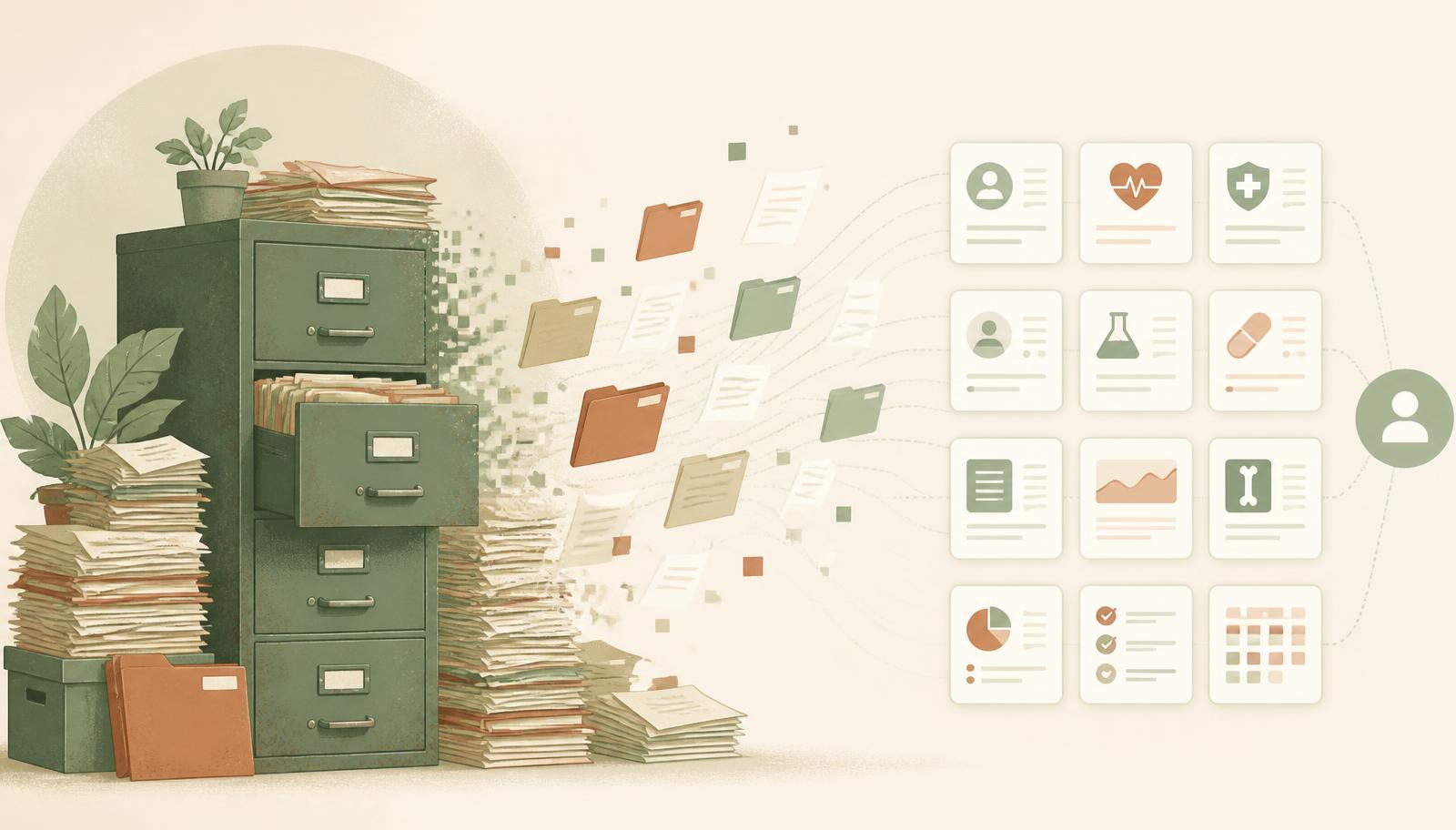
Why leaving a decades-old practice management system is nothing like clinics fear.

Separate C-CDA import from ongoing sync, then check fields, permissions and validation.
YOUR PRACTICE. YOUR PACE.
Bring your toughest workflow. We’ll show you how Moxcares can help—and what moving over would look like.
Show me my workflowA focused conversation. A practical next step.