
Patient context alongside prescribing.
Review medications, allergies and previous documentation in the chart before prescribing. Keep the patient’s history part of the decision.
EPRESCRIBING · POWERED THROUGH MDTOOLBOX
Review the patient record and move into prescribing from the same clinical workflow. Integrated MDToolbox connects medication checks, preferred pharmacies and electronic routing.
Illustrative workflow · EPCS requires prescriber enrollment and authentication.
HOW THE WORK MOVES
Keep the patient context close to the prescribing decision.
Check the patient’s medication and allergy information in the chart before opening the integrated prescribing workflow.
Select the medication, review the available safety checks and choose the patient’s preferred pharmacy through MDToolbox.
The authorized prescriber completes the prescription and electronic routing. Controlled-substance prescribing follows the required EPCS enrollment and authentication steps.
BUILT INTO THE WORKFLOW
The integration brings prescribing into Moxcares without turning a medication choice into an autonomous AI action.
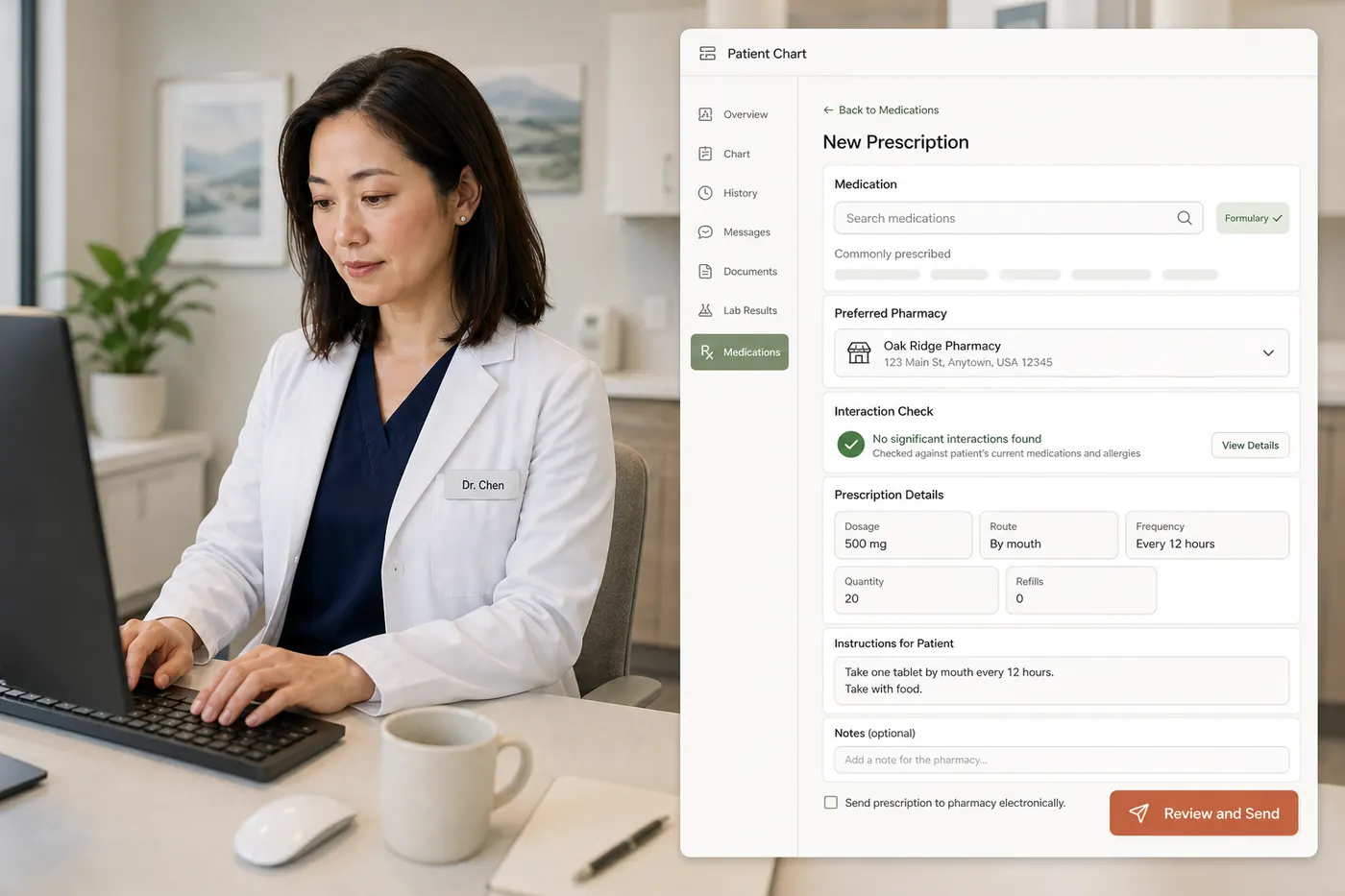
Review medications, allergies and previous documentation in the chart before prescribing. Keep the patient’s history part of the decision.
MDToolbox provides interaction and allergy-checking functions within its prescribing experience. Review alerts and resolve clinical questions before authorizing.
Moxcares integrates MDToolbox’s EPCS capability. Prescriber identity verification, enrollment and access requirements still apply; an integration does not bypass them.
CLEAR RESPONSIBILITIES
Medication selection, alert review and authorization belong to the prescriber. ePrescribing and EPCS availability depend on the applicable vendor setup, pharmacy connectivity and prescriber requirements.
Explore the Trust CenterBEFORE YOU DECIDE
Moxcares uses an integrated MDToolbox prescribing workflow. MDToolbox is a PHI-handling vendor with a business associate agreement in place, as listed in our vendor overview.
EPCS is integrated through MDToolbox for authorized prescribers who complete the required enrollment and authentication. Ask us to walk through the setup for your practice.
No. The clinician reviews the record, prepares the prescription and authorizes the action. AI chart assistance is not independent prescribing.
Yes. Bring the prescribing scenarios and pharmacy needs you want to evaluate. We can show the integrated workflow and clarify setup dependencies.

Separate C-CDA import from ongoing sync, then check fields, permissions and validation.

Complete practice costs, clinical workflows, current vendor evidence and a practical switching plan.

Why leaving a decades-old practice management system is nothing like clinics fear.
YOUR PRACTICE. YOUR PACE.
Bring your toughest workflow. We’ll show you how Moxcares can help—and what moving over would look like.
Show me my workflowA focused conversation. A practical next step.